Why User Experience Design is a Critical Skill for Modern Professionals
· 27 min read

Beyond Aesthetics: Why UX Design is a Critical Skill in Today’s Job Market
Ever felt that slow burn of frustration? You’re trying to schedule a meeting, but the calendar tool is a maze. You’re entering lead data, but the CRM system feels like it’s fighting you.

That knot in your stomach when software just doesn’t make sense. That feeling is a direct result of poor user experience, or UX.
Here’s the thing. That frustration you feel as a user is the exact problem skilled UX designers are hired to solve. In 2026, understanding the definition of user experience design is not just for tech wizards. It’s a foundational, high-value skill for anyone in remote sales, appointment setting, or customer-facing roles. Why? Because at its core, UX is about understanding people. It’s about removing friction so goals can be met smoothly, whether you’re a buyer trying to purchase or a setter trying to book an appointment.
So, what is user experience design? Let’s move beyond buzzwords. The official definition of user experience design according to the international standard ISO 9241-210 is "a person’s perceptions and responses that result from the use or anticipated use of a product, system or service." In simpler terms, it’s everything someone feels and thinks when they interact with something you’ve built or use.
This goes far deeper than a pretty button. As noted in the ISO standard, user experience includes all the user’s emotions, beliefs, preferences, and even physical responses. Experts at Usability.de confirm that UX "encompasses the entirety of impressions and emotions a person experiences." This means it’s about trust, ease, and even enjoyment.
For you, mastering the basics of UX design means developing a superpower. It’s the ability to look at your own tools—your CRM, your email platform, your scheduling software—and identify the friction points that slow you down. It’s the insight to understand how a client might feel navigating your company’s website or booking page. This empathy and systematic thinking make you more effective, more efficient, and infinitely more valuable in a job market that prizes problem-solvers.
In the following sections, we’ll break down this powerful skill set into actionable parts, showing you exactly how this mindset applies to your career goals in appointment setting and remote sales.
Defining User Experience (UX) Design: More Than Just Making Things Pretty
Let’s clear up a common mix-up right away. When many people hear "UX," they picture a sleek app screen or a beautiful website layout. That’s actually UI, or User Interface design. It’s about the visual layer, the colors, the buttons, the fonts. User experience design is what happens through that interface. It’s the entire journey, from the moment you decide you need a tool to the moment you accomplish your goal, and even how you feel about it afterward.
Think of it like a restaurant. The UI is the beautiful plate presentation, the fancy furniture, and the stylish menu. The UX is the entire evening: how easy it was to get a reservation, how the host greeted you, how long you waited for your food, how the food tasted, and how you felt when you left. A pretty plate can’t save a terrible meal, just like a pretty button can’t save software that’s frustrating to use.
So, what is the official definition of user experience design? The international standard ISO 9241-210 defines it as "a person’s perceptions and responses that result from the use or anticipated use of a product, system or service." This definition, cited by the Interaction Design Foundation, is the global benchmark.

It tells us that UX isn’t about the product itself. It’s about the person’s reaction to the product.
This definition breaks down into three big, interconnected ideas that move far beyond just looking good:
- Usability (Can you use it?): This is the foundation. Can you complete your task without unnecessary steps or confusion? Is the logic clear? If you’re booking an appointment, can you find the calendar, pick a time, and confirm it in three simple steps, or does it feel like a puzzle? Good UX makes the useful path the obvious one.
- Usefulness (Does it meet your need?): Does the product or service actually solve your real problem? A beautifully designed calendar tool is useless if it can’t sync with your email. UX design ensures the functionality aligns with what people truly need to do.
- Emotion (How does it make you feel?): This is the secret sauce. According to the ISO definition, user experience includes "all the users’ emotions, beliefs, preferences, [and] perceptions." Does the process feel smooth and professional, building trust? Or does it feel clunky and stressful, creating doubt? Experts at Usability.de confirm that UX "encompasses the entirety of impressions and emotions a person experiences." This emotional layer is what turns a functional task into a satisfying—or frustrating—experience.
The term "user experience" was coined by Don Norman, a cognitive scientist, in the 1990s. He wanted a phrase that covered every aspect of a person’s interaction with a company, its services, and its products. His vision was holistic. It wasn’t just about the screen. It was about the manual, the customer support, the packaging, and the brand promise. In 2026, this thinking has evolved to include the business context itself. The latest ISO notes state that user experience is a consequence of brand image, functionality, system performance, and even assistive technologies. It’s the sum of every single touchpoint.
Understanding this full definition of user experience design gives you a powerful lens. You stop seeing tools as just software and start seeing them as journeys. You begin to notice where the friction is, where the emotion turns sour, and where a simple change could make everything flow. This mindset is what separates someone who just uses a system from someone who can truly improve it.
The Core Components of UX: The Pillars of a Great Experience
Now that we have the broad definition of user experience design, let’s get practical. How do you actually build a good experience? Experts often use a framework called the UX Honeycomb, created by Peter Morville. Think of it as a checklist for quality.
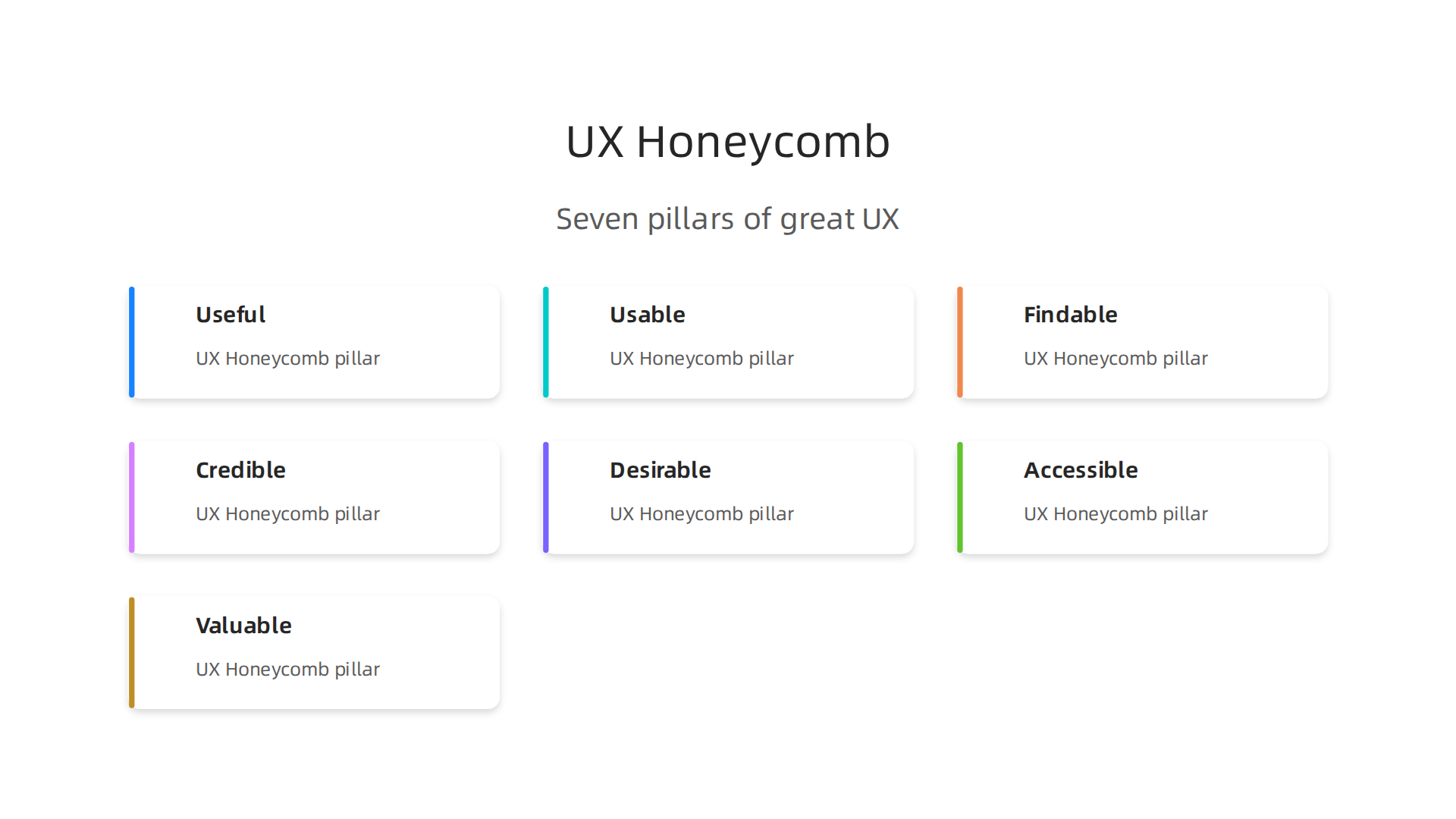
It breaks down the big idea of UX into seven interconnected parts, like cells in a honeycomb. If one part is weak, the whole structure suffers.
This framework is a classic tool for understanding the basics of ux design. As noted by UXPin, this model helps guide design teams to deliver a good experience by covering all essential facets.
Let’s look at each piece through the lens of a tool you might use, like an appointment scheduling page or a CRM platform.
Useful: Does it solve a real problem? This is the first question. A tool packed with fancy animations is useless if it can’t reliably book appointments or track leads. Your need is to connect with clients. The tool must provide that core function.
Usable: Can you use it without frustration? This is about simplicity and clarity. Can you find the "schedule" button instantly? Is the process to reschedule a meeting clear? If you have to guess what to do next, the usability fails. A usable tool feels intuitive, not like a puzzle.
Findable: Can you locate what you need? This applies to information and features. Where are your past calls logged? How do you pull up a client’s notes? If you have to dig through five menus to find a simple report, the information isn’t findable. Good design puts key items right where you expect them.
Credible: Does it feel trustworthy? This pillar is huge for your success. Does the booking link look professional, or does it trigger security warnings? Are contact details and company info easy to verify? As an appointment setter, your credibility is tied to the tools you use. A shoddy, unprofessional interface makes clients doubt you before you even speak. Building trust starts here.
Desirable: Do you want to use it? This is where emotion and brand appeal come in. It’s about more than just pretty colors (though that helps). Does the tool feel modern and efficient? Does using it make you feel competent and organized? Desire is what makes someone choose one service over another, even if both are functional.
Accessible: Can everyone use it? True UX design includes people with different abilities. Can a colleague who uses a screen reader navigate the calendar? Are buttons labeled clearly for everyone? In 2026, building accessible tools isn’t just good ethics. It’s good business, ensuring no potential client or team member is excluded.
Valuable: Does it deliver worth for the user and the business? This is the ultimate goal that ties everything together. For you, the value is in booking more appointments efficiently, leading to more commissions and career growth. For the company providing the tool, value comes from satisfied, loyal users. A design is only successful if it creates value for both sides.
See how these pieces connect? A tool can be useful (it schedules calls) but not credible (it looks spammy), which destroys its value. Or it can be desirable (beautiful interface) but not findable (you can’t locate key features), hurting its usability.
When you evaluate any software or website, run it through this honeycomb. Ask yourself: Is it useful for my core task? Is it usable and findable? Does it feel credible and desirable? Is it accessible? Does it ultimately provide value to my goals? This simple framework gives you the power to spot great design and avoid tools that will hold you back. It turns the abstract definition of user experience design into a concrete tool for your own career success.
UX Design vs. UI Design: Untangling the Most Common Confusion
Here’s where things often get mixed up. People say "UI/UX" like it’s one job. But in reality, user experience (UX) design and user interface (UI) design are two different parts of the same process. They work together to create the final product, but they focus on different things.
Think of it this way. Imagine you’re buying a car.
- UX Design is the engineering, the smooth ride, the fuel efficiency, and the overall feeling of driving it. It answers questions like: Is it comfortable on a long trip? Can you easily reach all the controls? Does it get you from A to B reliably and enjoyably?
- UI Design is the steering wheel, the dashboard, the touchscreen, and the physical buttons. It’s what you see and touch directly. Is the speedometer easy to read? Are the radio buttons laid out logically? Do the materials feel good?
You need both for a great car. A beautiful dashboard (UI) is worthless if the car breaks down constantly (bad UX). And a perfectly engineered car (great UX) would be frustrating if the controls were confusing (bad UI).
What does a UX Designer actually do?
A UX designer is focused on the user’s journey and the product’s structure. They are problem-solvers. Their work is often invisible when done well. Their tasks include:
- Researching what users need and what frustrates them.
- Mapping out the steps a user takes to complete a task (like booking an appointment).
- Creating simple layouts and wireframes (the blueprints of a screen).
- Testing prototypes with real people to find pain points.
Their main goal is to make the product useful, usable, and valuable. As discussed in the basics of ux design, they ensure the product aligns with frameworks like the UX Honeycomb, which focuses on the holistic experience. This work is foundational, as noted by experts at UXPin who explain that frameworks like the UX Honeycomb guide teams to deliver a good experience by covering all essential facets.
What does a UI Designer actually do?
A UI designer is focused on the visual touchpoints. They are the artists and visual communicators. Their work is what you see. Their tasks include:
- Choosing color schemes, typography, and icon styles.
- Designing interactive elements like buttons, sliders, and forms.
- Creating the final look and feel of each screen.
- Ensuring all visual elements are consistent and on-brand.
Their main goal is to make the interface aesthetically pleasing, intuitive to interact with, and desirable.
Why does this distinction matter to you?
Understanding the difference is powerful, whether you’re evaluating software for your work or considering a new career path.
-
For choosing tools: When you try a new scheduling platform, you can diagnose issues better. Is the problem that the booking flow is illogical (a UX issue)? Or is it that the buttons are too small and the text is hard to read (a UI issue)? This helps you give better feedback and choose tools that truly support your work.
-
For your career: If you’re interested in the field, you can see which path aligns with your strengths. Do you love understanding people, solving puzzles, and mapping out processes? Look into UX. Do you have a great eye for visuals, color, and typography? UI might be your calling. For an appointment setter, sharpening your understanding of UX can make you better at spotting tools that will genuinely help you connect with more clients efficiently.
In short, UX design is about the overall feel and function. UI design is about the specific look and interactive details. Both are crucial for creating products that people don’t just use, but love to use.
The UX Design Process: A Step-by-Step Framework
So, a UX designer is a problem-solver who focuses on the user’s journey. But how do they actually do that work? Is it just guessing what looks good?
Actually, no. Great user experience design is not guesswork. It follows a structured, repeatable framework. The most famous one is called the Double Diamond.
This model, originally from the UK Design Council and still a cornerstone of modern practice in 2026, gives us a perfect map of the UX design process.
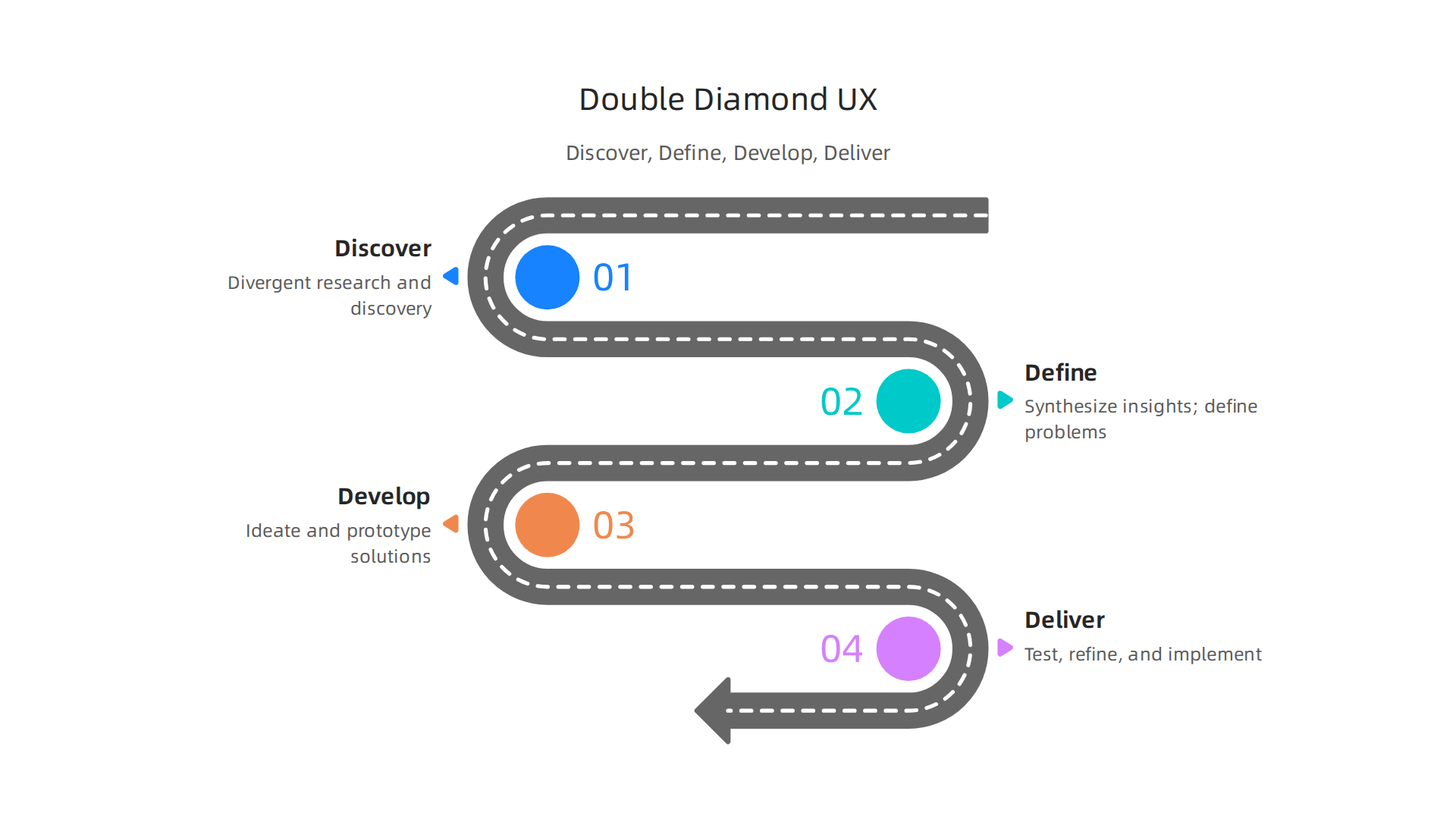
It’s called "Double Diamond" because it visually looks like two diamonds side-by-side, representing two key modes of thinking: first opening up to explore the problem widely, then narrowing down to define it; then opening up again to explore solutions, before finally narrowing down to deliver the best one.
This process breaks down into four clear phases: Discover, Define, Develop, and Deliver. Let’s walk through each one and connect them directly to the kind of problems you might face.
Phase 1: Discover
This is the "divergent thinking" start of the first diamond. The goal here is to explore the problem space widely, without assumptions.
- What happens: UX designers conduct user research. They talk to people, observe them using products, send out surveys, and analyze data. They are gathering raw information about user behaviors, needs, frustrations, and the context of the problem.
- Solving an ICP Pain Point: Imagine you’re a sales professional overwhelmed by your current lead generation tools. The Discover phase is like you stepping back and asking, "What’s really frustrating me and my team? Is it too many steps to log a lead? Do we lose track of follow-ups? Are we calling bad numbers?" Instead of jumping to a new tool, you’re researching the root cause.
Phase 2: Define
This is the convergent end of the first diamond. Here, you take all the insights from the Discover phase and synthesize them into a clear, specific problem statement.
- What happens: The team analyzes research data to find patterns. They create user personas (fictional profiles of ideal users) and map out user journeys. The output is a sharp, agreed-upon definition of the core problem to solve. As explained by experts at The Fountain Institute, this phase uses convergent thinking to focus the challenge.
- Solving an ICP Pain Point: Using our example, you’d move from general frustration to a specific definition: "Sales reps waste an average of 15 minutes per lead manually entering data from different sources into the CRM, leading to inconsistent records and missed follow-up opportunities." Now the problem is clear and measurable.
Phase 3: Develop
Now we enter the second diamond. With a clear problem defined, we diverge again to brainstorm a wide range of possible solutions.
- What happens: This is the ideation and prototyping phase. Designers sketch, build simple wireframes (the blueprints of a screen), and create interactive prototypes.

They don’t fall in love with one idea first. They explore many—a quick chatbot, a browser plugin that auto-fills forms, a redesigned data entry screen. Platforms like UXPin describe this as the phase for generating creative solutions.
- Solving an ICP Pain Point: For your sales team, this is where you’d brainstorm all the ways to fix that data entry problem. Maybe it’s a new software feature, a better integration between tools, or even a revised process. The key is to generate options without judging them yet.
Phase 4: Deliver
Finally, we converge on the best solution. This phase is about building, testing, refining, and launching.
- What happens: The strongest ideas from the Develop phase are turned into more polished prototypes and then into the real product. Crucially, this involves continuous testing with real users. Does the solution actually solve the problem? Is it easy to use? Feedback is gathered, and the design is iterated and improved until it’s ready for launch. Resources from Maze emphasize that testing is integral to converging on an effective solution.
- Solving an ICP Pain Point: Your team would build a prototype of the best data-entry solution, like a new CRM interface. You’d test it with a few reps, watch them use it, and ask questions. You’d find the small hiccups—a button in the wrong place, confusing text—and fix them before rolling it out to everyone. This ensures the final tool genuinely saves time and reduces errors.
Here’s a quick summary of the Double Diamond framework in action:
| Phase | Diamond | Thinking Mode | Key Activity | Relates to Your Goal of… |
|---|---|---|---|---|
| Discover | First Diamond | Divergent | User Research, Interviews | Understanding your core frustrations with tools or processes. |
| Define | First Diamond | Convergent | Problem Statement, User Journeys | Clearly stating the exact problem holding back your efficiency. |
| Develop | Second Diamond | Divergent | Sketching, Wireframing, Prototyping | Brainstorming all possible ways to solve that problem. |
| Deliver | Second Diamond | Convergent | User Testing, Iteration, Launch | Testing the best solution, refining it, and implementing it successfully. |
This whole process demystifies what user experience design really is. It’s a rigorous, user-centered cycle of research, definition, creation, and validation. It transforms the basics of UX design from a vague concept into a concrete methodology that ensures products are built to solve real human problems, not just to look pretty. For anyone evaluating tools or building a process, understanding this cycle means you can spot whether a product was designed with the user in mind—or just with a good graphic designer.
Why UX Design Matters: The Tangible Business and Career Impact
Now you know the process. But maybe you’re thinking, "That sounds thorough, but is it worth the effort? What’s the real payoff?"
Here’s the thing. The definition of user experience design isn’t just about making things easy to use. It’s a strategic business tool. In 2026, ignoring UX is like leaving money on the table. It directly moves the needles that executives and professionals like you care about most: revenue, retention, and efficiency.
Let’s break down the tangible impact.
Good UX Boosts Your Bottom Line
Think about the last time you abandoned an online cart because the checkout process was confusing. You’re not alone. A well-designed user experience removes those friction points, guiding people smoothly to a purchase.
- Higher Conversion Rates: A clear, intuitive path from interest to action means more sign-ups, more downloads, and more sales. Every confusing button or extra step you eliminate is a barrier removed for your customer.
- Increased Customer Loyalty: When an app or tool feels easy and helpful, people keep using it. They don’t go looking for a competitor.

This reduces churn (the rate at which customers leave) and builds a loyal user base. Research confirms that user-centered design is key for business transformation and customer retention.
- Reduced Support Costs: If your product is intuitive, fewer people get stuck and need to call for help. This means smaller customer support teams and lower training costs for your own staff. A product that teaches itself through good design saves money.
The Data Doesn’t Lie: The ROI of UX
Investing in UX isn’t an expense. It’s one of the highest-return investments a modern business can make.
Consider the alternative. Companies pour billions into new technologies like AI, but a 2025 report revealed a stunning gap: a vast majority of organizations see zero return on those investments. Why? Often, because the technology is bolted onto a poor experience. The flashiest AI tool is useless if the people who need it can’t figure out how to make it work.
Good user experience design ensures that technological investment actually delivers value. It’s the bridge between a powerful feature and a user who can harness that power. A study on digital transformation highlights that focusing on the user is a critical success factor, especially for growing businesses.
What This Means for Your Career
If you’re in sales, appointment setting, or any role that uses tools to connect with people, understanding the basics of UX design makes you more effective. It’s a career superpower.
- You Choose Better Tools: You can look at a new software platform and instantly evaluate its user experience. Is it designed for your workflow, or does it fight you? You become a savvy buyer, selecting tools that will genuinely make you faster and more productive, not just ones with a long feature list.
- You Communicate Needs Clearly: Instead of telling a developer "this feels clunky," you can articulate the specific UX problem. "The search results load too slowly, causing users to lose their train of thought," or "The ‘Submit’ button is hidden, which is killing our form completion rate." This gets problems fixed faster.
- You Build Better Relationships: When you use a CRM or communication tool with good UX, you spend less time battling the software and more time understanding your leads and customers. You become a more attentive, more effective professional because your tools get out of your way.
In short, the ui ux design meaning transcends aesthetics. It is the practice of aligning product design with human behavior and business goals. In a crowded 2026 market, the products and companies that win are those that respect their users’ time, intelligence, and goals. By understanding what user experience design truly is, you stop being just a user of technology and start being a strategic judge of it. This mindset doesn’t just improve products; it accelerates your own performance and career.
UX in Your World: How It Affects Appointment Setters and Remote Sales Pros
You now understand the big-picture impact. But let’s get specific. How does the definition of user experience design show up in your daily grind? For appointment setters and remote sales pros, UX is the difference between a smooth, productive day and a frustrating battle with your own tools.
Your world runs on software. Your CRM, your auto-dialer, your lead list platform. When these tools have poor UX, they don’t just annoy you. They actively slow you down, burn you out, and cost you appointments.
Where Your Tools Often Fail You (The UX Friction Points)
Let’s look at common pain points through a user experience design lens:
- The CRM Clutter: You need to log a call quickly before moving to the next lead. But the "Save" button is hidden. Key fields are buried in tabs. You waste precious seconds navigating a maze. This is bad UX. A study on digital transformation highlights that user-centered design is a critical factor for business success, precisely because it removes these daily frustrations.
- The Dialer Dilemma: Your power dialer has a confusing interface. You accidentally call the same lead twice. The "skip" and "disconnect" buttons look too similar. This creates anxiety and mistakes, pulling your focus away from the conversation.
- The Lead List Labyrinth: You open your lead platform, and it’s a wall of unorganized data. You can’t quickly filter for your ideal profile or see notes at a glance. You spend more time searching than speaking.
These aren’t just minor glitches. They represent a failure in the basics of UX design. Each extra click, each moment of confusion, adds to your cognitive load. This is the mental effort required to use the tool. High cognitive load means you have less brainpower left for what actually matters. Persuasive communication, active listening, and building rapport.
How Good UX Sets You Up for Success
Now, imagine the opposite. Imagine tools designed with your workflow in mind.
- Reduced Cognitive Load: A clean CRM lets you log a call in two clicks. A smart dialer seamlessly presents the next lead with all relevant context. Your mental energy is freed for the human part of your job.
- Increased Efficiency & More Touches: When tools get out of your way, you make more calls, send more follow-ups, and manage more leads in the same amount of time. Your output soars.
- Improved Outcomes & Confidence: With less friction, you stay in a flow state. You’re more prepared, more focused, and more confident during each interaction.

This directly translates to better conversations and more booked appointments.
Become a Savvy Evaluator of Your Tools
You don’t need to be a designer to benefit from UX thinking. You just need to shift your perspective. Start asking these questions about the software you use:
- Does it match my mental model? Does the layout work the way I naturally think? Or do I have to constantly remember a weird process?
- Is it forgiving? Can I easily undo an action? Or does one wrong click cause a minor crisis?
- Does it reduce steps? How many clicks does it take to complete my most common task? The best UX is often invisible because it’s so efficient.
By understanding what user experience design aims to solve, you move from being a passive user to an empowered advocate. You can provide specific, valuable feedback to your team. Instead of saying "this software is slow," you can say, "The three-second delay after clicking ‘next lead’ breaks my calling rhythm and reduces my dials per hour." That’s the kind of insight that gets real improvements made.
In 2026, your competitive edge isn’t just your pitch. It’s your entire toolkit. Choosing and using tools with intentional, human-centered UX isn’t a luxury. It’s a core strategy for performing at your peak.
How to Learn UX Design: Pathways for Career Switchers and Skill Builders
So you see the impact of good and bad UX in your own work. Maybe you’ve even started asking those savvy questions about your tools. What’s the next step if you want to dive deeper and actually learn this skill set?
Whether you want to switch careers into a full-time UX role or simply build these skills to become a more effective problem-solver in your current job, the path is more accessible than ever. Let’s map out your options for 2026.
Your Four Main Pathways to Learning UX
You can mix and match these approaches based on your time, budget, and goals.
-
Formal Degree (The Traditional Foundation)
- What it is: A bachelor’s or master’s degree in fields like Human-Computer Interaction (HCI), Cognitive Psychology, or Design.
- Best for: Those starting from scratch with a long-term view, seeking deep theoretical knowledge, and wanting the credential for certain corporate roles.
- Consideration: This is the most time-intensive and expensive path, but it provides a comprehensive foundation.
-
Bootcamps (The Focused Sprint)
- What it is: Intensive, short-term programs (often 3-6 months) focused on practical, job-ready skills.
- Best for: Career switchers who want a structured, fast-paced environment and dedicated career support. A guide on UX and product designer career paths for 2026 can help you evaluate if this path aligns with your goals.
* **Consideration:** Quality varies. Look for programs with strong outcomes, updated curricula for 2026, and mentorship from practicing designers.
- Online Courses & Certificates (The Flexible Builder)
- What it is: Self-paced or instructor-led courses from platforms like Coursera, Udemy, or LinkedIn Learning.
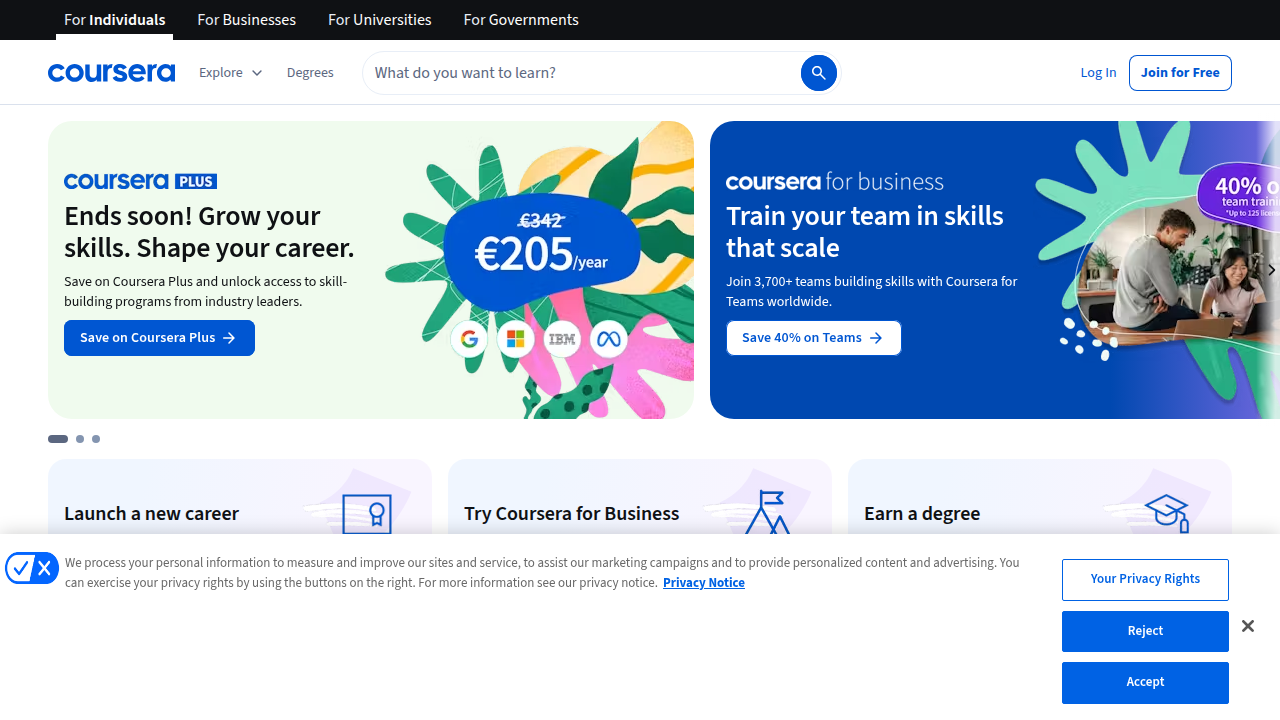
These often offer certificates of completion.
* Best for: Skill builders who need flexibility. It’s perfect for learning specific topics, like the essential UX designer skills such as user research or prototyping, on your own schedule.
* Consideration: You must be self-motivated. The learning is modular, so you may need to piece together a full skill set yourself.
- Self-Study (The Hands-On Explorer)
- What it is: Learning through free resources, books, blogs, practice, and building your own projects.
- Best for: The highly disciplined and curious. It’s the most affordable path and forces you to learn by doing.
- Consideration: It requires immense personal drive. You’ll need to seek out your own feedback and create your own structure. Following industry leaders and reading articles on the UX skills you need in 2026 is a great start.
Foundational Skills to Learn First
No matter which path you choose, start with these core building blocks of the definition of user experience design:
- User Research: Learning how to talk to users, conduct surveys, and gather insights. This is the "why" behind every design decision.
- Information Architecture & Wireframing: Structuring information logically and sketching the basic layout of a screen (wireframing) before worrying about colors.
- Usability Principles: The rules of thumb for creating intuitive interfaces, like consistency, feedback, and error prevention.
- Prototyping: Building interactive models of your design to test with users. Tools like Figma are standard.
- A Bit of UI (Visual Design): Understanding basics like typography, color, and spacing to make your prototypes visually clear.
Remember, UX is evolving. As one 2025 article pointed out, some purely technical skills may be augmented by AI, while strategic thinking becomes even more critical. Focus on learning the timeless human-centered process.
Building Your Portfolio: Your Proof of Skill
You don’t need a design job to start a portfolio. A portfolio shows you can solve problems, not just make pretty pictures.
- Redesign a Clunky App: Pick a tool you find frustrating (maybe that CRM from earlier!). Document your process: research the pain points, sketch better flows, and create a prototype.
- Concept Projects: Imagine a new app for a specific need. Walk through the full process from user interviews to a final prototype.
- Document Everything: For each project, write the story. What was the problem? What did you learn from users? What were your ideas? What did you test and change? This storytelling is a key non-design skill for UX career growth.
Even if you’re not seeking a pure design role, a small portfolio demonstrates you understand the basics of UX design. It proves you think in terms of user problems and systematic solutions. This is a powerful asset in any modern job.
The path to learning UX is about choosing the right blend of structure, practice, and theory for you. Start with one small skill, apply it to a real problem you see, and build from there. Your journey into creating better experiences begins with a single step.
Summary
This article explains why user experience (UX) design is a critical, career-boosting skill—especially for appointment setters, remote sales people, and anyone who works with customer-facing tools. It defines UX using the ISO standard, clarifies the difference between UX and UI, and breaks down the UX Honeycomb’s seven core components (useful, usable, findable, credible, desirable, accessible, valuable). You’ll get a practical walkthrough of the Double Diamond design process—Discover, Define, Develop, Deliver—plus concrete examples of common friction points in CRMs, dialers, and lead platforms. The piece also outlines measurable business benefits (higher conversions, lower support costs, better retention) and gives clear learning pathways—degrees, bootcamps, online courses, and self-study—plus portfolio advice to prove your skills. After reading, you’ll be able to evaluate tools for real UX problems, communicate targeted improvement requests, and take first steps toward learning or applying UX in your job.