Web Scraping for Lead Generation a Step by Step Guide for Sales Professionals
· 17 min read

Introduction
Imagine you are a sales professional or an appointment setter trying to build a list of high-quality leads. You know the right prospects are out there, but finding them one by one feels like searching for needles in a haystack.

That is where web scraping comes in.
Web scraping is the process of automatically collecting data from websites. When used the right way, it can transform how you build targeted lead lists for B2B outreach, real estate leads, or any sales campaign.
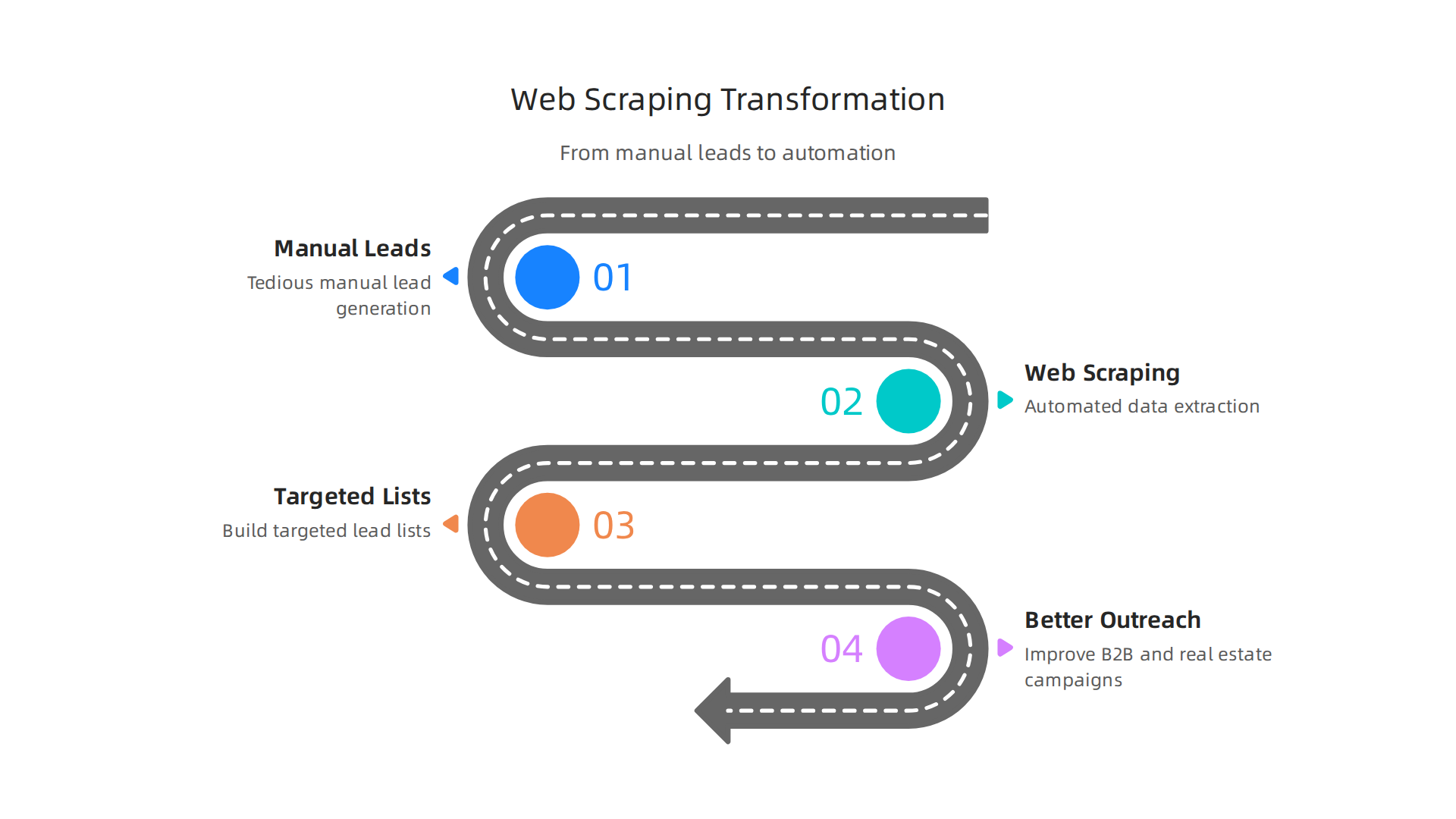
Instead of manually copying names, emails, and phone numbers, a scraper does the heavy lifting for you. It can pull product descriptions, company details, contact info, and more in a fraction of the time.
But here is the thing. Many people who want to start scraping hit a wall. They struggle with choosing the right tool, understanding the legal boundaries, and making sure the data they collect is actually useful. Those three roadblocks can stop a good sales strategy in its tracks. And with laws changing, you need to stay informed. As of 2026, scraping public data is legal in most places when you do it correctly, according to the legality guide from Datashake. Still, you have to respect privacy rules and website terms.
That is why this article exists. We are going to give you an evidence-based roadmap to master web scraping for sales. You will learn about the techniques that work, the tools that can save you time, and the best practices that keep you on the right side of the law. Whether you are looking to fill a real estate CRM with fresh leads or generate more B2B appointments, this guide has you covered.
Let us get started.
Fundamentals of Web Scraping for Sales
So how do you actually get started with web scraping for your sales pipeline? It helps to understand what is happening under the hood. At its simplest, web scraping is a way to automate the boring parts of research. Instead of opening a hundred browser tabs and copying information by hand, you let a tool do the work for you.
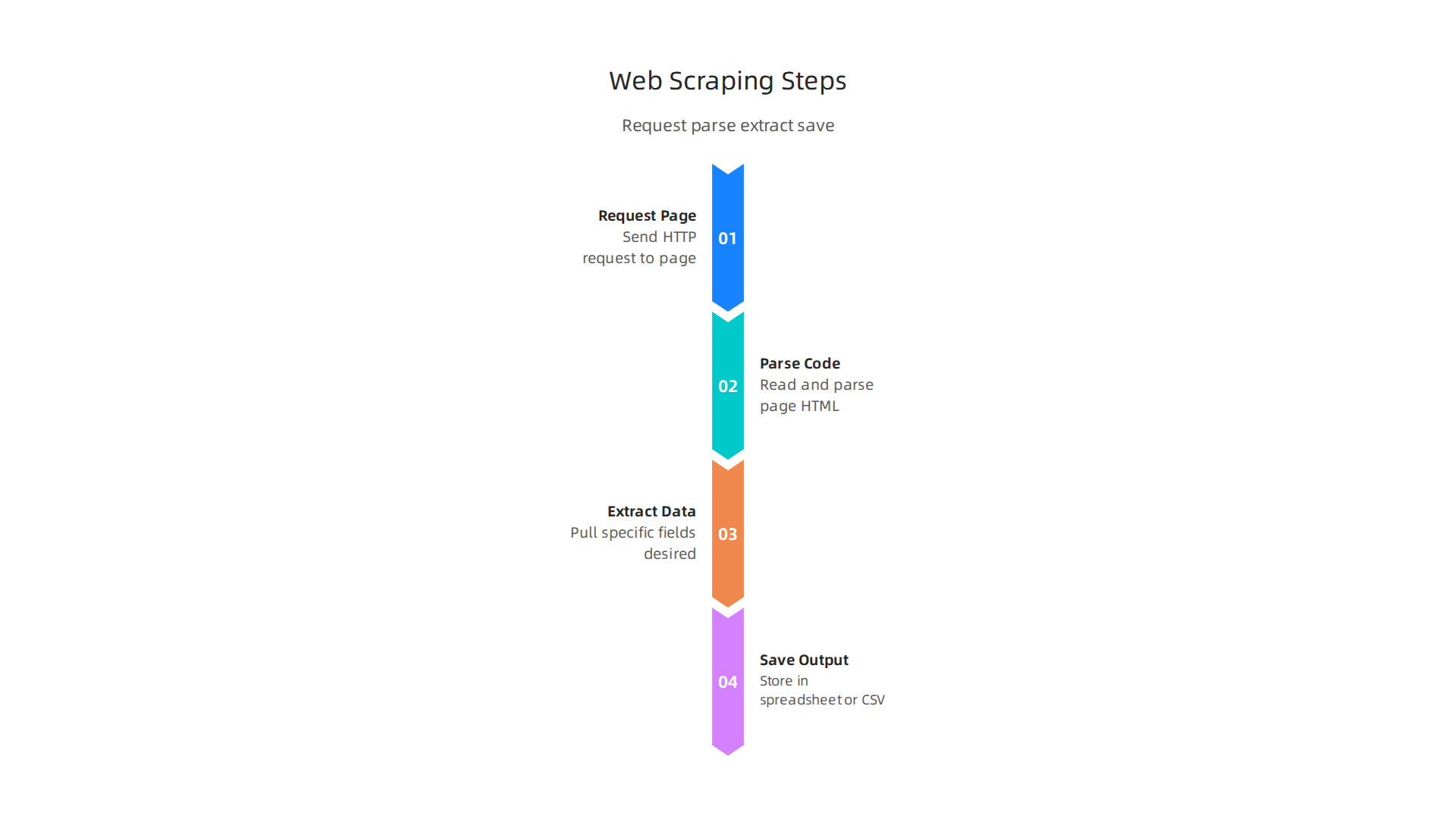
Think of it this way. Every public website is built using structured code. That code includes HTML (the skeleton), CSS (the styling), and sometimes JavaScript. A web scraper reads that code and pulls out exactly the pieces you want, like company names, email addresses, or product descriptions. It sends an HTTP request to the page, grabs the data, and saves it in a clean format such as a spreadsheet or a CSV file.
According to the 2026 strategy guide from Eminenture, most successful lead generation campaigns rely on this kind of automation to build targeted prospect lists quickly. The tool you choose needs to understand the layout of a page. That is where CSS selectors come in. They are like little filters that tell the scraper: "Only grab the text inside this specific part of the page."
Once you have clean data, the real magic begins. You can feed that list directly into your CRM, enrich it with more details, and start your outreach sequences. A well scraped dataset saves hours of manual work and helps you contact the right people at the right time.
The web scraping market is huge and still growing. Reports show it reached about $1.17 billion in 2026 and is climbing fast (Mordor Intelligence). That growth means more tools are available than ever, but the fundamentals stay the same. Master HTML structure, HTTP requests, and CSS selectors, and you can scrape almost any public site safely and efficiently.
If you are an appointment setter or B2B sales pro, these basics are your foundation. Get them right, and your lead lists will be accurate and ready to use.
Legal and Ethical Considerations
Now that you understand the technical side of web scraping, we need to talk about something just as important. The legal and ethical side. You might be excited to build a perfect lead list, but doing it the wrong way can land you in hot water.
Here is the good news. Web scraping public data is legal in most cases when done correctly. According to a 2026 guide from ScraperAPI, the legality of your scraping project depends largely on what data you collect and how you collect it. Most U.S. federal courts agree that scraping publicly accessible information is fine as long as you do not break any technical barriers (Cloro.dev).
But here is the catch. Not everything you see on a website is free to take. You must respect three main things:
- robots.txt files. This is a small text file on most websites that tells scrapers which pages they can and cannot visit. Ignoring it is a bad look and could get your IP blocked.
- Terms of service. Many websites have rules about automated data collection in their terms. Breaking those rules could lead to a lawsuit.
- Privacy laws like GDPR and CCPA. This is a big one. Even if data is publicly visible, personal information still belongs to real people. Regulations like the GDPR in Europe and the CCPA in California require you to have a valid reason for collecting personal data. As a joint statement from global privacy authorities explains, publicly accessible personal data is still protected (Hunton).
So what does this mean for your sales pipeline? Stick to public business data. Company names, job titles, work email addresses from public sources, and product descriptions are generally safe. Avoid scraping personal details like private phone numbers or personal email addresses without clear consent.
The bottom line? Ethical web scraping builds trust and protects you from legal risks. If you are an appointment setter building a lead list, take the extra few minutes to check a site’s rules before you scrape. It keeps your business safe and your reputation clean.
Top Web Scraping Tools in 2026
Alright, you know the legal rules. You know how web scraping works. Now comes the fun part: picking the right tool for the job.
Here is the truth. There is no single best web scraper. The right tool depends on your technical skill, your budget, and how much data you need. A 2026 comparison of top scraping tools from developers shows that each tool has clear strengths and trade offs.
Let us break down the main types so you can decide.
Low Code and No Code Tools
If you are an appointment setter or a small team owner without a coding background, these tools are your best friend.
- NoCodeScraper and Octoparse: These let you point and click to select the data you want.

You do not need to write a single line of code.
- Browse AI: This is a top pick for visual scraping in 2026. You can train it to watch for changes and send you updates (Kadoa review of AI web scrapers).
- Bright Data: Often called the best overall for large scale scraping. It handles proxies and complex sites for you
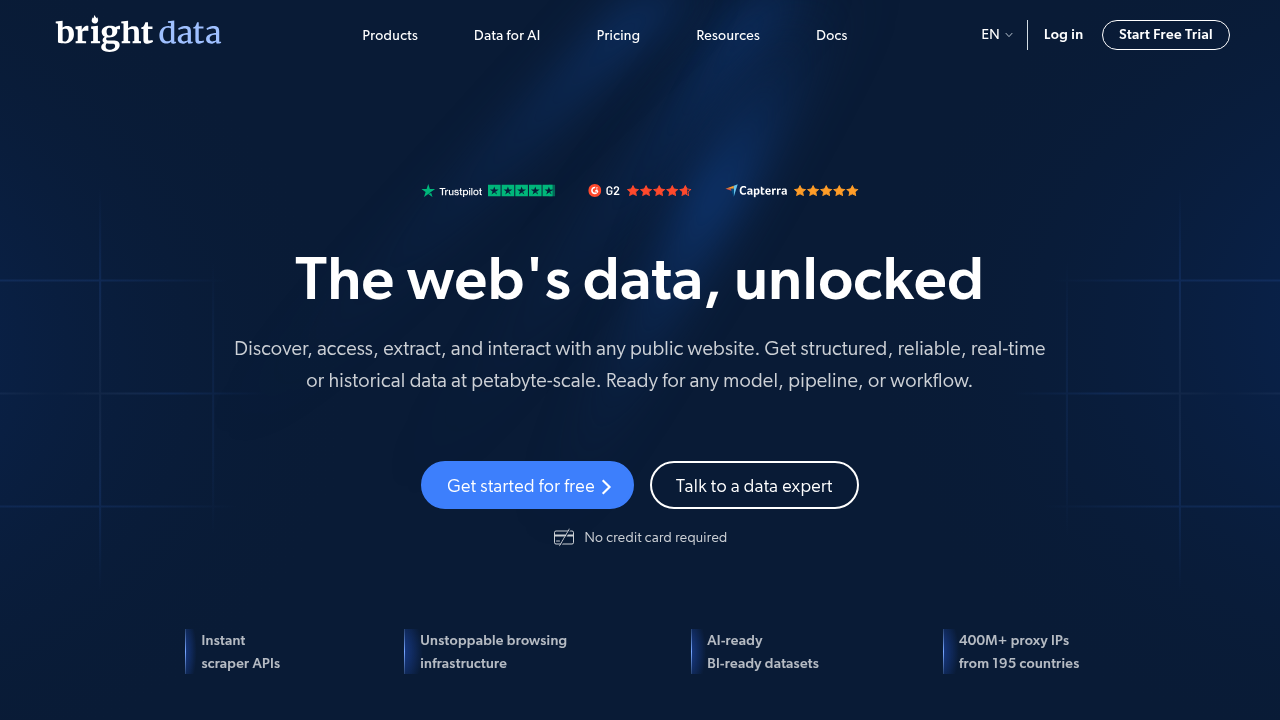
These tools are perfect for B2B lead generation. You can pull company names, job titles, and product descriptions from public directories without touching code.
Developer Grade Tools
If you know Python or JavaScript, you get more power and control.
- Scrapy: A fast, battle tested Python framework. Great for crawling thousands of pages efficiently.
- Playwright and Puppeteer: These handle dynamic websites that load content with JavaScript. They are the go to for modern web apps (Firecrawl dynamic scraping guide).
- Firecrawl: A developer first API that turns entire websites into clean markdown or structured data (Browser Use tool review).
Cloud Based Scraping APIs
Do not want to manage servers? Use an API.
- ScrapingBee: Handles proxies, headless browsers, and CAPTCHAs for you. You just send a URL and get clean HTML (ScrapingBee e-commerce tool roundup).
- Apify: Lets you use pre-built Actors for common scraping jobs. You can also build custom ones.
Which One Should You Pick?
Here is a simple rule of thumb. If you are building a real estate CRM list or a lead sheet for quick outreach, start with a low code tool. If you need deep data extraction from complex sites, go developer grade or use an API.
The market is full of options. The right web scraping tool is the one that lets you gather ethical, public data without wasting your time.
Step-by-Step Workflow for Lead Scraping
So you picked your tool. Now what? You need a repeatable process. Without one, you will waste time and end up with messy data that hurts your outreach. Here is a workflow that works for B2B lead generation, whether you are building a real estate CRM list or pulling product descriptions from e-commerce sites.
Follow these five steps:
1. Target Selection
Decide exactly which websites and what data you need. Public directories, industry listings, or review pages. Be specific. Scraping too many sources at once leads to chaos. Write down the fields you need: company names, email addresses, job titles, or product prices.
2. Scraping with Proxies and Retry Logic
Send your requests to the target URLs. Use proxies to rotate your IP address and retry logic to handle temporary failures. Many websites monitor traffic patterns and block aggressive scrapers. Services like Bright Data handle this for you at scale (BinaryBits top 10 tools). If you use an API like ScrapingBee, they manage proxies and retries automatically (ScrapingBee e-commerce guide).
3. Parsing
Extract the specific data fields you need from the raw HTML. Developer tools like Firecrawl turn entire pages into clean markdown or structured JSON (Firecrawl dynamic scraping tools). For no-code tools, point and click selectors let you pick the data visually.
4. Storage
Save your parsed data into a structured format like CSV, JSON, or a database. Pick something you can easily import into your CRM or spreadsheet. For smaller lists, a simple CSV works. For larger lists, use a database.
5. Cleansing
Clean duplicates, fix formatting errors, and remove junk records. Dirty data kills outreach campaigns. Merge similar entries, standardize phone numbers, and validate email formats.
Keep it Fresh with Incremental Scraping
Do not rescrape everything every time. Use incremental scraping. Check for new or changed records only. This saves bandwidth and keeps your real estate CRM list current. Set a schedule: daily for fast changing sites, weekly for stable ones.
Follow this workflow, and you will build high quality lead lists that actually convert.
Data Cleaning and Enrichment
You did the scraping. Raw data spills out messy duplicates, missing fields, and weird formatting. That is normal. But if you send that straight to your outreach, you will waste time annoying prospects. The key? Data cleaning and enrichment.
Here is the thing: over 33% of company data is duplicated (Tendem AI guide). That means one out of every three leads in your list might be a repeat. Fixing that starts with deduplication. Use matching algorithms that compare key fields like email addresses or company names (Improvado best practices). For trickier cases, fuzzy matching catches near-duplicates like "Acme Corp" and "Acme Corporation" (Match Data Pro guide).
Next, standardize formats. Phone numbers, dates, and job titles should look the same across all records. If one lead has "CEO" and another "Chief Executive Officer", pick one format and stick with it. This step alone reduces confusion and cleans your data for import into any tool (Cleanlist AI normalization guide).
Then comes enrichment. Fill missing values strategically. If you have a company name but no website, check directories or use lookup tables. Add missing phone numbers or social profiles. Enriched data makes your outreach feel personal, not generic.
Clean data does not just look nice. It boosts your conversion rates and cuts wasted effort. You stop emailing the same person twice. You avoid calling wrong numbers. You build trust with every prospect.
So after you scrape, always clean and enrich. Your future self will thank you.
CRM Integration and Lead Management
Your data is clean and enriched. Now comes the real payoff. You need to get those leads moving into your sales system fast. A CRM like Salesforce or HubSpot is where your team works every day. If your leads are stuck in a spreadsheet, they are not helping anyone.
The goal is a smooth, efficient data pipeline. Most CRMs let you import your clean lists through APIs or simple CSV files. This connects your web scraping work directly to your daily sales flow.

No manual typing. No errors. Just leads moving from your source into your workflow.
But do not stop at just importing. Set up automation rules right away. Lead scoring can rank your leads by company size or job title. A high score means a hot lead. Lead assignment sends those hot leads to the right sales rep instantly. Nurturing rules can start a welcome email sequence for every new lead. Think of it as putting your lead management on autopilot.
This kind of integration cuts down on manual data entry. It also speeds up your response times. When a lead lands in your CRM fast, your team can reach out fast. That speed makes a huge difference in competitive fields like B2B lead generation or real estate.
For anyone building a career in appointment setting, CRM skills are non-negotiable. Understanding how leads flow from a scrape to a scheduled meeting gives you an edge. At Setters Talent, we help you build the skills and knowledge you need to use tools like these and grow in your career.
Advanced Techniques: Dynamic Content and APIs
Your CRM is set up. But many modern sites run on JavaScript. The data you want isn’t in the raw HTML. It loads after the page opens. To scrape these sites, you need a headless browser like Playwright or Selenium. These are some of the best headless browsers for web scraping in 2026.
But there is a smarter path. Official APIs. Many platforms offer structured data through APIs. They are faster, more reliable, and more legal than scraping. The best web scraping APIs in 2026 can pull company revenue, employee counts, and job listings directly.
The real power comes from combining them. Use the API for core data. Use the headless browser for details the API misses, like product descriptions or reviews. Compare dynamic web scraping tools to find what works for you.
For B2B lead generation, this is gold. You build hyper-specific lead lists. You find companies hiring for niche roles or using specific tech. At Setters Talent, we help you build skills with tools like these to grow in appointment setting and sales support.
Want to go further? Learn advanced web scraping tactics in Python to handle even the hardest sites.
Measuring ROI and Scaling Efforts
You have your web scraping pipeline running. But how do you know it is worth the time and money? You need to measure the return on investment (ROI). The three most important numbers to track are cost per lead, enrichment lift, and time saved.
Cost per lead is simple. Add up all your scraping costs (proxies, tools, cloud compute) and divide by the number of quality leads you get. Enrichment lift measures how much better your data gets after scraping. For example, you might add company size or tech stack details to your CRM. Time saved is the big win. Compare how long manual research took versus automated scraping. These metrics tell you if your setup is working.
Once you know it works, you scale. But scaling web scraping is not just running the same script faster. You need a distributed architecture. Think cloud workers running in parallel and rotating proxies to avoid IP blocks. The State of Web Scraping 2026 report highlights that data accuracy and block rates become the biggest problems as volume grows. Monitor these closely. If your block rate jumps above 5%, your data quality drops fast.
Also track how often your scraped data matches the source. A 99% accuracy rate might sound great, but at scale that 1% can mess up your lead enrichment. Use logging and alerts to catch issues early. If you are pulling data for B2B lead generation, dirty data means wasted calls.
Scaling smartly lets you build bigger, better lead lists without breaking your budget. Keep an eye on those metrics and adjust your proxies and worker count as you grow. For more on handling dynamic sites at scale, check out the best headless browsers for web scraping in 2026.
Integrating AI with Web Scraping
Scaling your pipeline is great, but what if you could make it smarter without extra manual work? That is where AI steps in. Traditional web scraping relies on static rules like regex patterns. Those patterns break the moment a website changes its layout. AI solves this by learning how to read a page.
Instead of coding rules for every data point, you let machine learning models handle the messy parts. For example, you might want to pull product descriptions from e commerce sites or extract job postings from dozens of company pages. These are unstructured data types that confuse simple scripts. AI uses natural language processing to understand context and pull out exactly what you need.
The market for AI powered data extraction is growing fast. One report values it at over $7 billion in 2026 and expects it to reach $38 billion in the coming years. Tools that use machine learning can adapt to website changes on their own. This means less time spent updating your scrapers and more accurate data for your B2B lead generation efforts.
A major advantage is that AI tools can handle complex layouts like those on real estate CRM sites or review platforms. They learn from examples instead of needing manual tweaks. The result is cleaner data and fewer errors.
If you are curious about which tools to try, check out this review of the best AI web scrapers for 2026. It covers both no code options and advanced setups.
Adding AI to your web scraping workflow saves hours of configuration. It turns a fragile pipeline into a reliable data engine that keeps working even when the web changes.
Maintaining and Monitoring Your Scraping Infrastructure
Even the smartest AI scraper isn’t a set-it-and-forget-it tool. Websites change their layouts, proxies go bad, and errors pile up in your logs. If you ignore these issues, your data pipeline starts feeding you garbage. That’s bad for things like B2B lead generation or keeping a real estate CRM up to date.
You need eyes on your system at all times. The best approach is to set up a monitoring dashboard. This dashboard should track a few key things:
- Site structure changes. If a target website redesigns, your scraper may break. Tools like those reviewed in the Kadoa article use self-healing AI agents to detect shifts and adjust automatically.
- Proxy health. Bad proxies mean blocks and empty data. Keep an eye on response times and success rates.
- Error logs. Watch for 403s, timeouts, or missing fields. Alert yourself fast so you can fix problems before they corrupt your dataset.
Some platforms, like Browse AI, offer built-in monitoring for no-code workflows. You can also build custom alerts using free tools like Grafana or Sentry.
Finally, document everything. Write down how your scrapers work, what they monitor, and who to contact when something breaks. This ensures your team can keep the pipeline running even if you’re out of office. A little maintenance now saves hours of rework later.
Summary
This article is an evidence-based roadmap for using web scraping to build high-quality lead lists for sales, appointment setting, and CRMs. It explains how scrapers read web code (HTML, CSS, JavaScript), what data you can extract, and why automation saves time compared with manual research. The guide covers legal and ethical boundaries—robots.txt, terms of service, and privacy laws like GDPR/CCPA—so you avoid compliance risks while focusing on public business data. It compares tool types (no-code, developer frameworks, and scraping APIs), gives a five-step lead-scraping workflow, and shows how to clean, enrich, and import data into CRMs. Advanced topics include handling dynamic content with headless browsers, using official APIs when available, applying AI for resilient extraction, and monitoring infrastructure at scale. Finally, it explains how to measure ROI and maintain accuracy as your scraping effort grows, so you can scale safely and efficiently.