Use a Pinterest Business Account to Land Appointment Setter Jobs in 2026
· 19 min read

Introduction: Why Your Social Media Presence Matters in the Appointment Setter Job Market
The appointment setter job market in 2026 is more competitive than ever.

You’re not just competing against other candidates in your city or country. You are up against job seekers from around the world, especially with so many remote roles available. So how do you make hiring managers notice you?
Here is a fact that might surprise you. According to recent social media recruitment statistics, 79% of job seekers have used social media in their job search over the past year. And companies are paying attention. Social media is now the most used recruiting strategy across industries, beating out traditional job boards. That means your online presence is not just a nice addition to your resume. It is a critical part of your job search toolkit.
Most people think of LinkedIn when it comes to professional networking. And sure, that is a great place to start. But there is another platform that most appointment setters overlook: Pinterest. Pinterest is a visual search engine.
You can use it to showcase your skills, share your knowledge, and attract the right opportunities. When you set up a dedicated Pinterest business account, you turn your profile into a portfolio that hiring managers can find and explore.
In this article, we will walk you through exactly how to set up and optimize a Pinterest business account so you can build a professional brand and find legitimate appointment setter opportunities. You will learn simple steps to make your profile stand out, even if you have never used Pinterest before.
Ready to get started? Read the Blog for more tips and resources to help you land your next role.
Why a Social Media Business Presence is Critical for Appointment Setters in 2026
Here is the truth. In 2026, your resume alone is not enough. Hiring managers are looking at your online presence before they even call you. If you do not have a professional social media footprint, you are missing a huge opportunity.
Why does it matter? Let us break it down.
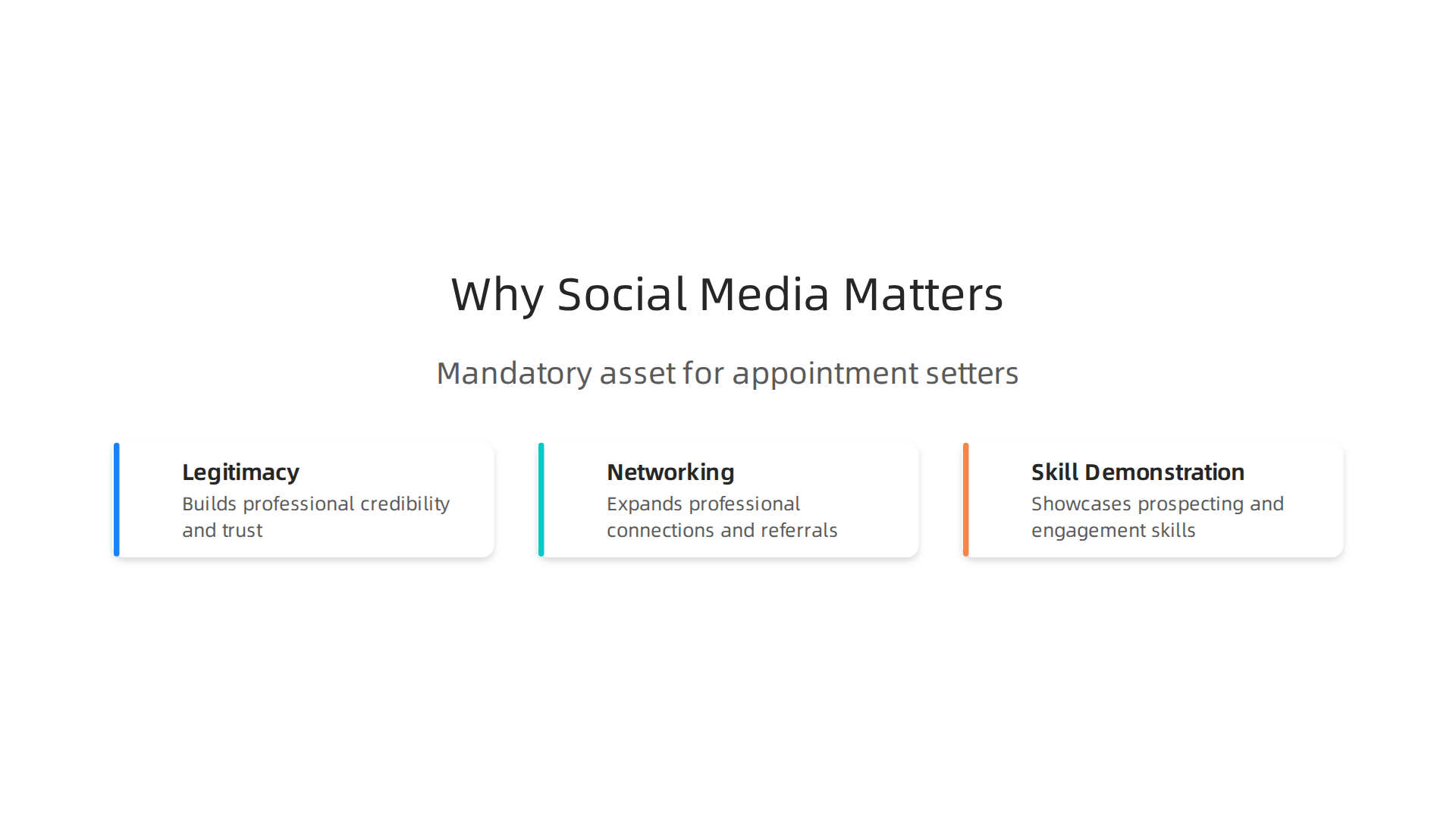
Legitimacy. A well maintained social media profile shows you are serious. It signals professionalism and authenticity. According to recent social media recruitment statistics, 79% of job seekers have used social media in their job search over the past year. Companies expect to find you online. If your profile looks empty or outdated, it raises doubts. A clean, active business account tells employers you are organized and tech savvy. Exactly the qualities they want in an appointment setter.
Networking. Social media is now the most used recruiting strategy across industries, surpassing traditional job boards. Platforms like Pinterest let you connect with companies and decision makers in the sales world. You can follow brands, engage with their content, and get noticed. When you set up a pinterest business account, you create a portfolio that hiring managers can find and explore. Imagine them stumbling upon your boards filled with lead generation tips, sales scripts, and industry insights. That is networking without cold emails.
Skill Demonstration. Your communication, organization, and sales skills are hard to show on a one page resume. But with visual content, you can prove them. Share a pin that breaks down your appointment setting process. Create a board with best practices for overcoming objections. Use infographics to highlight your results. This shows you know your stuff and you are proactive about sharing knowledge.
You might also explore how companies use tools like the meta ads library and facebook ads library to find talent. Understanding these platforms gives you an edge in your job search.
The bottom line? A social media business presence is not optional anymore. It is a requirement for standing out. If you are ready to take the next step, start by optimizing your profile and building your brand.
Want more tips? Read the Blog for guides and resources to help you land your next appointment setter role.
Getting Started with Your Pinterest Business Account: A Step-by-Step Guide
You know why you need one. Now let us walk through how to get your Pinterest business account set up the right way. It is free and only takes a few minutes. And the features you unlock are exactly what you need to stand out as an appointment setter.
Here is how to do it step by step.
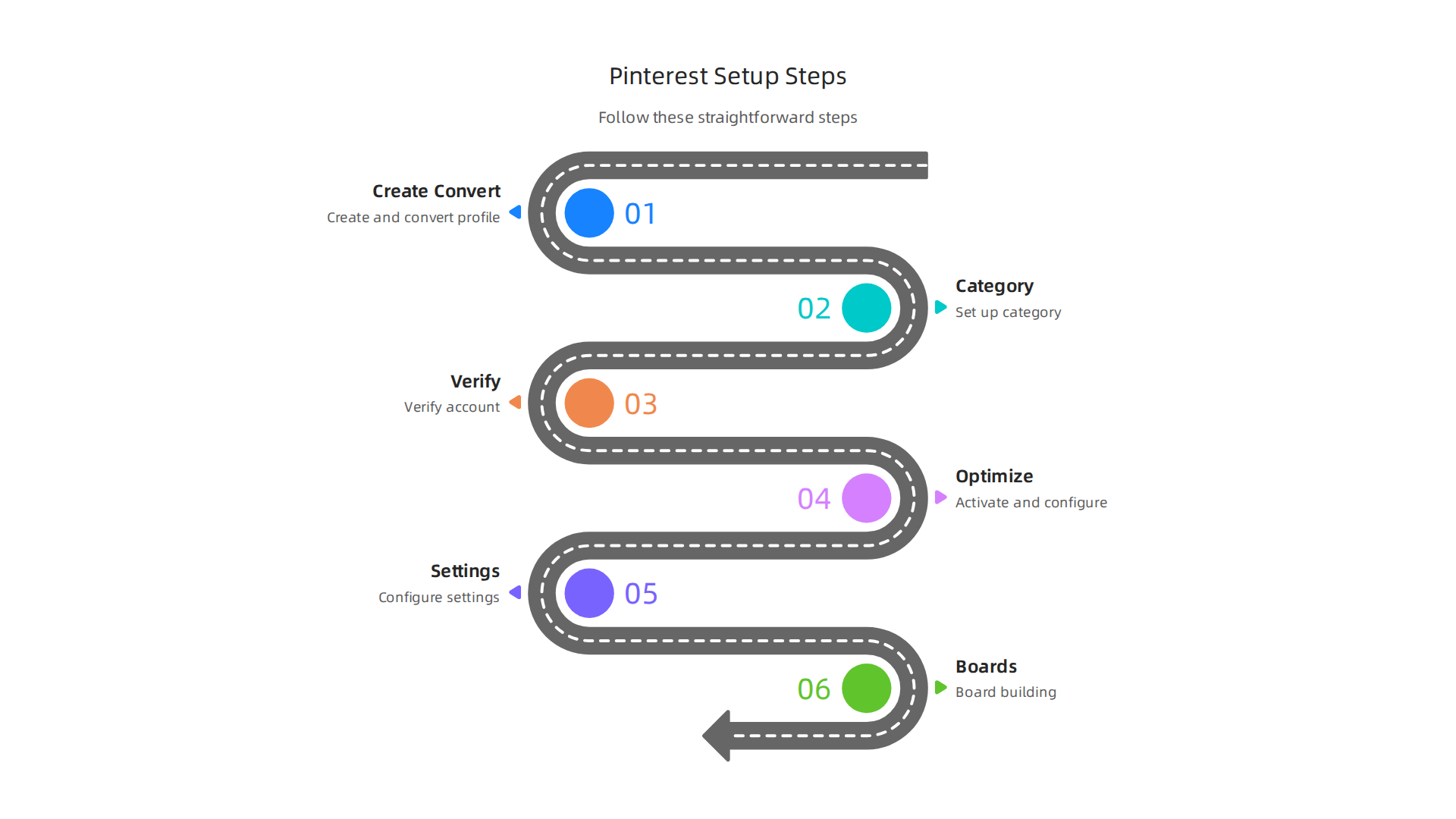
Step 1: Create or Convert Your Account
If you already have a personal Pinterest account, you can convert it to a business account in your settings. If you are starting fresh, go to the official Pinterest business site and sign up directly. A business account is a free profile type that gives you access to powerful tools like analytics and ads. Those features are not available on a standard personal account. Signing up is completely free and only takes a couple of minutes.
Step 2: Choose a Category and Business Name
Pinterest will ask you to pick a category that describes what you do. For appointment setting, choose something like "Business Services" or "Sales." Your business name should be your real name or your professional brand name. Keep it consistent with what hiring managers would find on your resume or LinkedIn.
Step 3: Verify Your Website
This step is important. Claiming your website gives you access to detailed analytics. It shows you which pins drive clicks and views. If you have a personal website, portfolio, or even a blog on our site, claim it here. This adds legitimacy to your profile. It also enables rich pins, which give users more context when they save your content.
Step 4: Optimize Your Profile with Keywords
Now you need to make your profile easy to find. Use a professional headshot as your profile picture. For your bio, include keywords that hiring managers search for. Write something like: "Experienced appointment setter specializing in lead generation and remote sales support. Helping businesses connect with qualified prospects." Use your target keywords naturally here. This is how you get discovered.
Step 5: Adjust Your Key Settings
Head into your account settings and customize a few important options. Turn on notifications for engagement. Set your country and language preferences. And make sure your profile is set to public and searchable. You want hiring managers to find you easily.
Step 6: Start Building Your Boards
Create boards that showcase your expertise. Name them things like "Appointment Setting Tips," "Sales Scripts That Work," and "Lead Generation Strategies." Fill each board with high quality pins that demonstrate your knowledge. This becomes your visual portfolio.
If you want to see a full walkthrough of an optimized setup, check out this video guide on creating an optimized Pinterest business account. It shows you exactly what to do.
Building a strong presence takes consistency. For more tips on how to grow your personal brand and land your next role, explore our resources on the blog.
Optimizing Your Pinterest Profile to Attract Hiring Managers and Recruiters
You have a Pinterest business account set up. But will hiring managers actually find you when they search for talent?
Here is the thing. Making your profile visible takes more than just completing the setup steps. You need to optimize every part of it so recruiters in 2026 can discover your skills quickly.
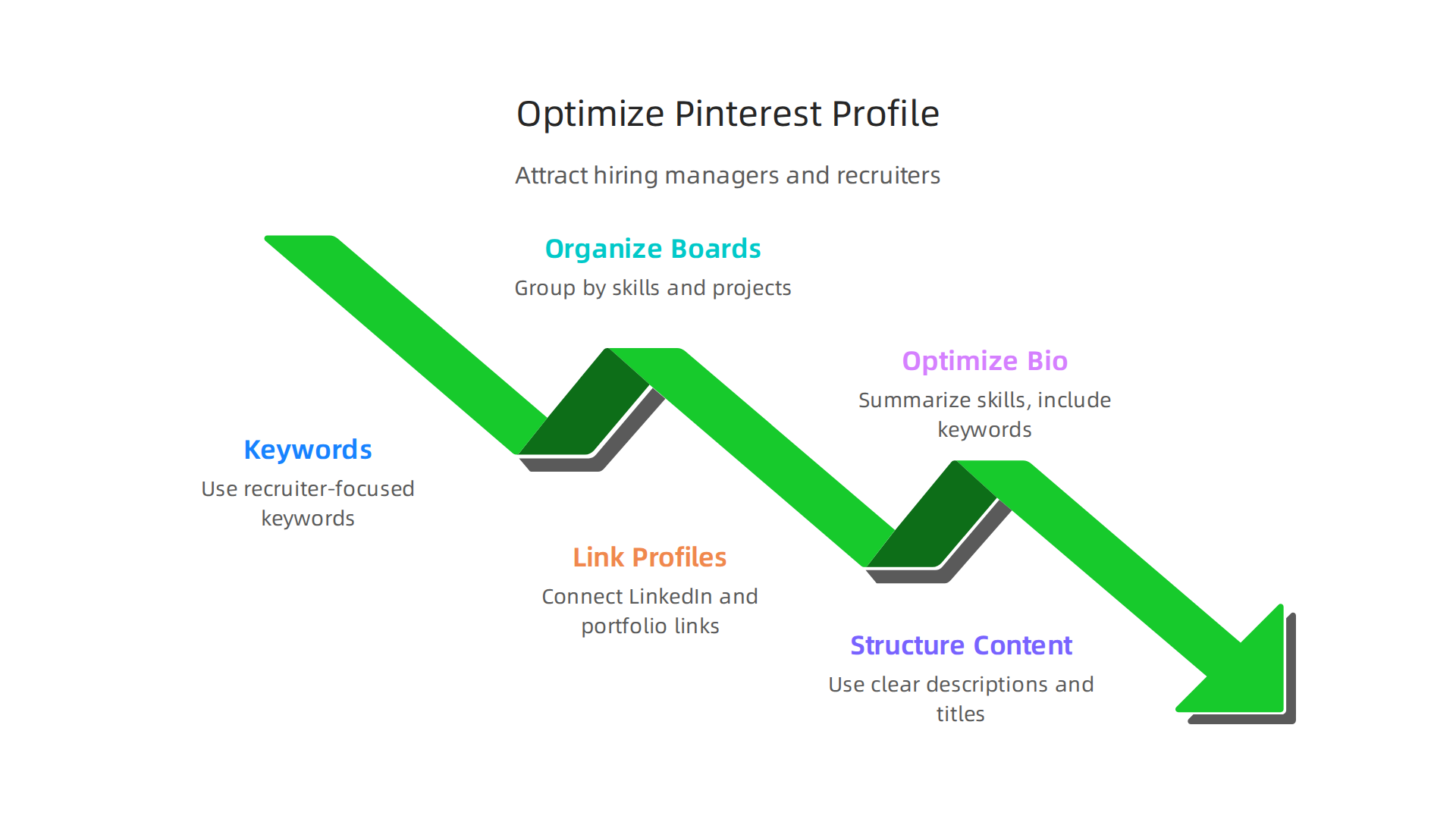
Think of your profile as a storefront. If it looks cluttered or vague, people walk past. If it looks professional and focused, they stop and look closer.
Use targeted keywords everywhere
Start with your profile name. Use your real name plus a skill descriptor. Something like "Sarah Jones | Appointment Setter" or "Mike Rivera Lead Generation Specialist." This immediately tells recruiters what you do.
Your bio is the most important piece. Write a short paragraph that includes keywords hiring managers search for. Mention appointment setting, lead generation, remote sales, and any tools you use. For example: "Experienced appointment setter specializing in outbound lead generation and CRM management. I help businesses connect with high quality prospects."
Your board descriptions need keywords too. When you create boards with titles like "Lead Generation Tips" or "Appointment Setting Best Practices," write a short description under each one. Use phrases like "strategies for effective cold calling" or "tips for booking more sales meetings." This helps your boards show up in search results on Pinterest.
Organize your boards like a portfolio
Group your boards around specific skills. This creates a visual resume that hiring managers can browse in seconds. Create boards for:
- Lead generation strategies
- Sales scripts and templates
- Cold calling techniques
- Remote work tips
- CRM tools and software
Each board should have at least 10 to 20 pins. Pins can be articles, infographics, or videos you create or save from others. The goal is to show depth in each area. A well organized board set tells recruiters you know your stuff.
The official Pinterest business site recommends keeping your profile complete and consistent for better visibility.
Link to your other professional profiles
Include a link to your LinkedIn profile or personal website in your Pinterest bio.
This makes it easy for recruiters to click over and see your full experience. Cross platform visibility is a big plus in 2026.
Most job platforms including sites like LinkedIn reward consistency. When your Pinterest bio matches your resume, you look more credible.
Also mention skills like "marketing services facebook" or "facebook ads library" if those are part of your background. Even if Pinterest is your main platform, showing broader knowledge helps.
Sprout Social’s 2026 guide to Pinterest marketing points out that a business account gives you analytics to see which pins drive clicks. Use that data to refine your boards over time.
Put it all together
Optimizing your profile is not a set it and forget it task. Check your analytics monthly. See which boards get the most saves. Double down on what works.
Want more tips on landing that appointment setter role? Check out our resources for job search advice and training guides.
Your Pinterest business account is already set up. Now make it work for you.
Creating Content That Demonstrates Your Appointment Setting Expertise
Your Pinterest profile is optimized. But now you need something even more important: content that proves you can actually do the job.
Hiring managers in 2026 don’t just want to see your bio. They want to see your skills in action.

The good news is you can create pins that show exactly what you bring to the table.
Different content formats that work
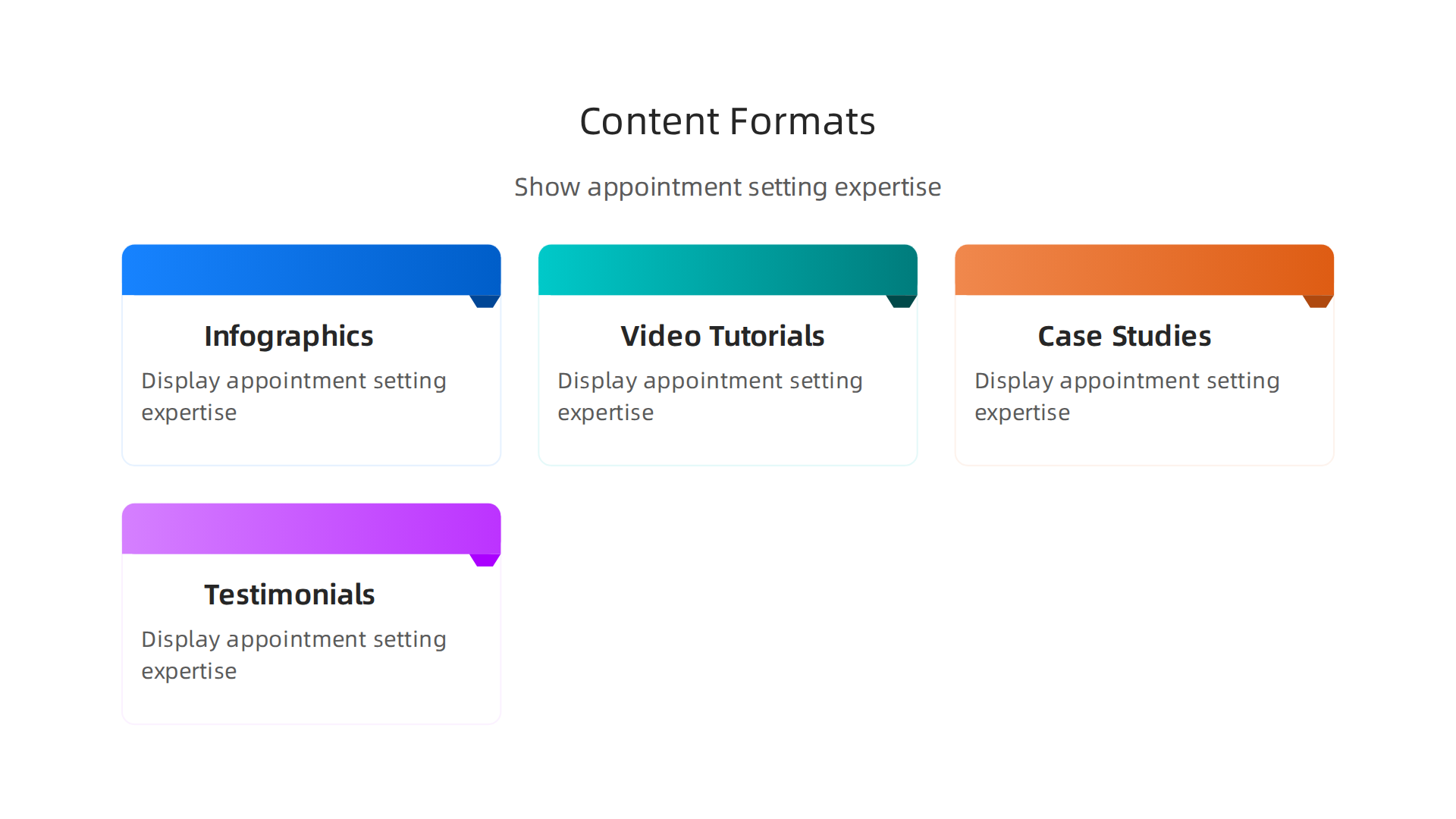
Mix up your pins so recruiters see your range. Here are the formats that perform best for appointment setters:
-
Infographics. Summarize a sales process. Create a simple graphic showing your appointment setting workflow. Example: "My 5 Step Cold Calling Script" or "How I Qualify Leads in 60 Seconds." This shows you understand the structure of the job.
-
Video tutorials. Record yourself explaining a technique. You do not need fancy equipment. A quick 30 second video of you walking through a lead generation strategy can be powerful. Upload it directly to Pinterest as a video pin.
-
Case study summaries. Write a short pin describing a real result. "Booked 20 meetings in one week for a SaaS client using this email template." Pair it with a clean image. Numbers grab attention.
-
Testimonials. If you have positive feedback from past managers or clients, turn quotes into image pins. A simple text overlay on a branded background works great.
According to a FlexJobs guide on personal branding, you can use Pinterest as the visual form of "Interests" on a resume. That means each pin acts like a bullet point for your skills.
Create a Skills Showcase board
Dedicate one board entirely to your professional achievements. Call it "My Appointment Setting Skills" or "Sales Results." Pin your infographics, video tutorials, and testimonials there. This becomes your visual resume.
Write detailed pin descriptions for each one. Use keywords like "appointment setting," "lead generation," "cold calling," and "remote sales." The search ranking on Pinterest will help recruiters find you.
For sales professionals, building a personal brand that generates pipeline is critical. outline a 90 day playbook for sales professionals with LinkedIn strategies, but the same thinking applies to Pinterest. Your visuals become your brand.
Stay consistent
Do not pin once and disappear. Consistency builds authority. Aim to pin at least 3 to 5 new pieces of content each week. Repin relevant content from others in the sales space too. This shows you stay current.
Check your Pinterest analytics to see which pins get the most saves and clicks. Double down on what works.
The remote sales job market is growing fast. points out that work from home sales professionals now use digital platforms to outperform office based teams. Getting your content strategy right on Pinterest can put you ahead.
Your next step
Now you know how to create content that shows your appointment setting expertise. Ready for more guidance? with step by step training and resources to help you build your skills and land your next role.
Using Pinterest to Find Legitimate Appointment Setter Opportunities
Your Pinterest profile now shows off your skills. Great. But let’s turn that profile into a job hunting tool. Pinterest is not just for displaying content, you can actively search for real appointment setter roles right on the platform.

Follow the right people and companies
Start by following companies that hire appointment setters. Many sales organizations and remote work influencers maintain active Pinterest boards. They often pin job postings, industry tips, and company culture content. When you follow them, their pins show up in your feed.
Also follow influencers in the sales support and remote work space. They share insights, job leads, and training materials. This keeps you informed and shows Pinterest’s algorithm that you are serious about the field. If you use a Pinterest business account, you get extra analytics to see which accounts give you the most value.
Engage with pins to get noticed
Do not just scroll. Comment on pins with thoughtful questions or insights. Share useful pins to your own boards. Save job listings you find interesting. This activity increases your visibility. Recruiters and hiring managers may notice your engagement and click through to your profile.
When you comment, add value. For example, if a company pins a post about their remote team culture, you can say "I love seeing companies that support work from home. As an appointment setter, I value flexibility and clear communication." This positions you as a professional.
Use Pinterest search like a job board
Pinterest search is powerful. Type in phrases like "remote appointment setter jobs," "sales support careers," or "work from home sales." You will find boards from job aggregators, company career pages, and industry events.
Some job boards have their own Pinterest profiles. They pin new openings regularly. You can also find boards that collect links to legitimate opportunities. For example, Indeed lists over 600 remote appointment setter jobs.
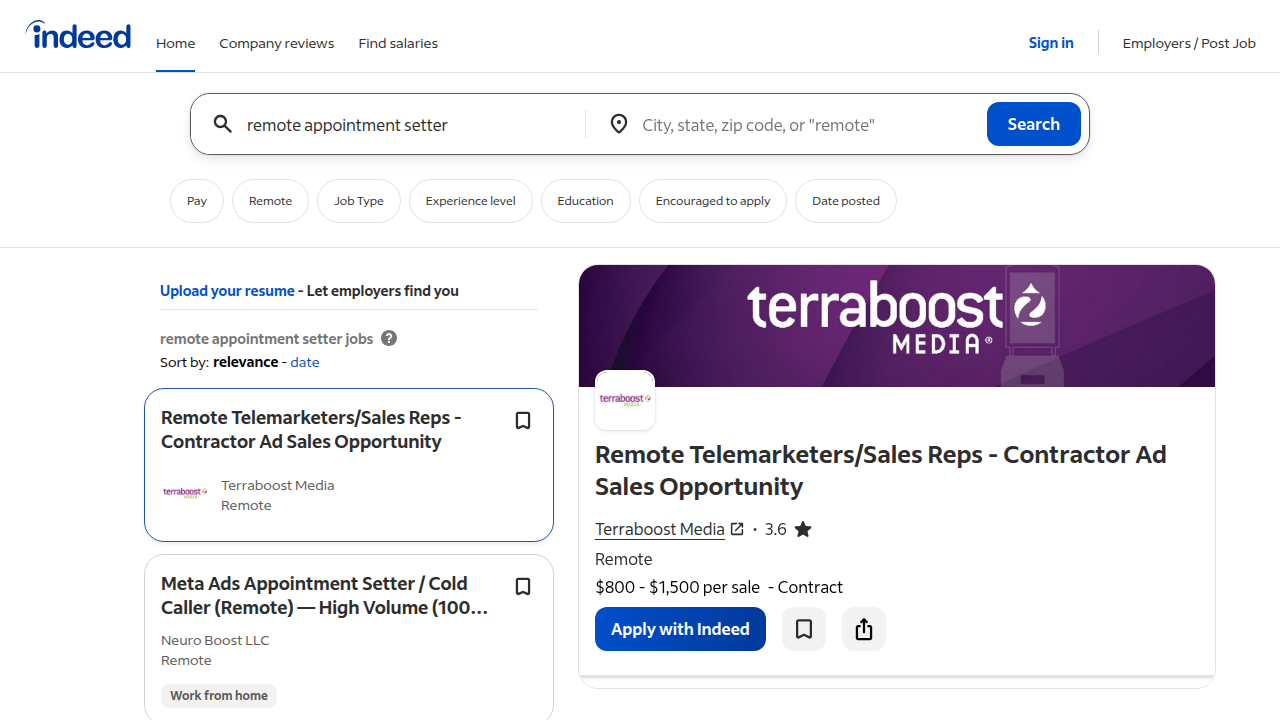
Upwork has over 1,400 freelance appointment setting gigs. Platforms like RemoteRocketShip and Glassdoor also post openings. Pinterest can be a gateway to these sites.
Stay consistent and track what works
Treat your job search on Pinterest like a part time job. Pin new content, follow new companies, and engage daily. Check your Pinterest analytics to see which boards or pins lead to clicks on job listings. Double down on what gets results.
The remote sales job market is still growing. By using Pinterest strategically, you put yourself in front of opportunities you might miss on traditional job boards.
Ready to go deeper?
For more strategies to find legitimate appointment setter opportunities and build your career, check out our View Resources page. We have guides, tips, and training to help you land the right role.
Measuring Your Pinterest Success: Analytics and Iteration
You have been pinning, following, and engaging. But how do you know if any of it is actually working? The answer lies in your pinterest business account analytics. Without data, you are just guessing.
A Pinterest business account is free and gives you access to powerful analytics tools that a personal account simply does not have. According to Sprout Social, a business account unlocks social media analytics, ads, and shopping features that are essential for tracking your performance. Without it, you are flying blind.
What to track
When you log into your Pinterest analytics, focus on these key metrics:
- Impressions: How many times your pins show up in feeds.
- Saves: When someone saves your pin to their own board. This signals high value.
- Outbound clicks: The most important metric for job seekers. This tells you how many people clicked through to your website or portfolio.
- Audience demographics: See who is looking at your content. You want hiring managers and recruiters.
The official Pinterest Analytics page explains that saves, impressions, pin clicks, and outbound clicks are the main metrics you should watch. Followers are a supporting metric.
Identify what works and what doesn’t
Look at your top performing pins. Which topics get the most saves? Which pin designs drive clicks to your profile? Maybe a pin about "5 skills every appointment setter needs" gets tons of engagement while your generic pins get ignored. Double down on what works and cut what does not.
This is where iteration comes in. If a certain pin design or headline performs poorly, change it. A/B test different pin images. Test different descriptions. Over time, small improvements add up to real results.
Look beyond Pinterest
While you are tracking your Pinterest metrics, remember that companies also promote appointment setter roles on other platforms. For example, tools like marketing services facebook and the meta ads library can show you which companies are actively hiring. The facebook ads library is a public database where you can see current job ads from real employers.
Keep refining your approach
Check your analytics weekly. Compare your metrics to industry benchmarks to see where you stand. When you find a pin that drives recruiter interest, create more content like it. When a board gets ignored, reorganize it or delete it.
Treat this like a real job search strategy. The data tells you what is working. Listen to it.
Ready to take the next step?
To access more guides on building your appointment setting career and finding legitimate opportunities, View Resources on our blog. We have everything you need to keep moving forward.
Beyond Pinterest: Integrating Your Social Media Presence Across Platforms
Now that you know what your Pinterest analytics are telling you, it is time to spread that success to other platforms. Recruiters look for consistency. If your Pinterest profile shows you as a confident appointment setter but your LinkedIn profile looks bare, you send mixed signals.

You want a personal brand that feels the same everywhere you show up.
Start with your core story. On Pinterest, you share boards about sales tips, lead generation, and career growth. Make sure your LinkedIn headline and summary tell the same story. According to FlexJobs, you can use Pinterest as the visual form of your “Interests” on a resume. That means your boards are visual proof of your expertise. When you share a pin about “cold calling scripts,” it supports what you claim on LinkedIn.
Cross-promote your best content. Don’t keep your best boards hidden. Share a link to your “Top 10 Appointment Setting Tools” board directly in a LinkedIn post. Write a short comment about why you love those tools. This drives recruiters from LinkedIn back to your Pinterest profile. It shows you are active and knowledgeable. Building a genuine personal brand on LinkedIn can make all the difference in getting noticed, as experts at Right Management explain.
Use scheduling tools to stay consistent without burning out. You are already running a job search. You don’t have time to log into every platform daily. Tools like Buffer or Hootsuite let you schedule Pinterest pins, LinkedIn updates, and even posts for marketing services Facebook pages in one sitting. Set aside 30 minutes once a week. Queue up content that reinforces your skills. Over time, your presence grows without taking over your day.
Keep an eye on competitor activity. Use the Meta Ads Library and Facebook Ads Library to see which companies are running job ads for appointment setters. You can model the language they use and even find new opportunities to apply for.
Your next step. Making all these pieces fit together takes a bit of planning. But the payoff is huge. When a hiring manager sees your Pinterest boards, then clicks through to a polished LinkedIn profile, they remember you.
To access more guides on building your appointment setting career and finding legitimate opportunities, View Resources on our blog. We have everything you need to keep moving forward.
Summary
This article explains how appointment setters can use a Pinterest business account to stand out in the competitive 2026 job market. It covers why a professional social media footprint matters, how to set up or convert to a Pinterest business profile, and which settings to choose to appear trustworthy and searchable. You’ll learn how to organize boards like a visual portfolio, create pins—infographics, videos, case studies, and testimonials—that prove your skills, and how to use Pinterest’s search and engagement features to find real job leads. The guide also explains which analytics to track (impressions, saves, outbound clicks) and how to iterate based on results. Finally, it shows how to cross-promote from Pinterest to LinkedIn and use scheduling tools to stay consistent so hiring managers see a unified professional brand.