The Useless Web: Boost Remote Skills and Creative Outreach
· 27 min read

A playful start: why "The Useless Web" matters more than you think
Have you ever found yourself clicking around the internet with no real goal, just looking for something fun or silly? We all do it!

In 2026, the internet is full of tools and serious information, but it also has a secret, playful side. This is where "the useless web" comes in. It’s a collection of websites that don’t have a big purpose but are wonderfully fun to explore. Think of sites that do nothing but show you a bouncing cat or play a funny sound when you click.
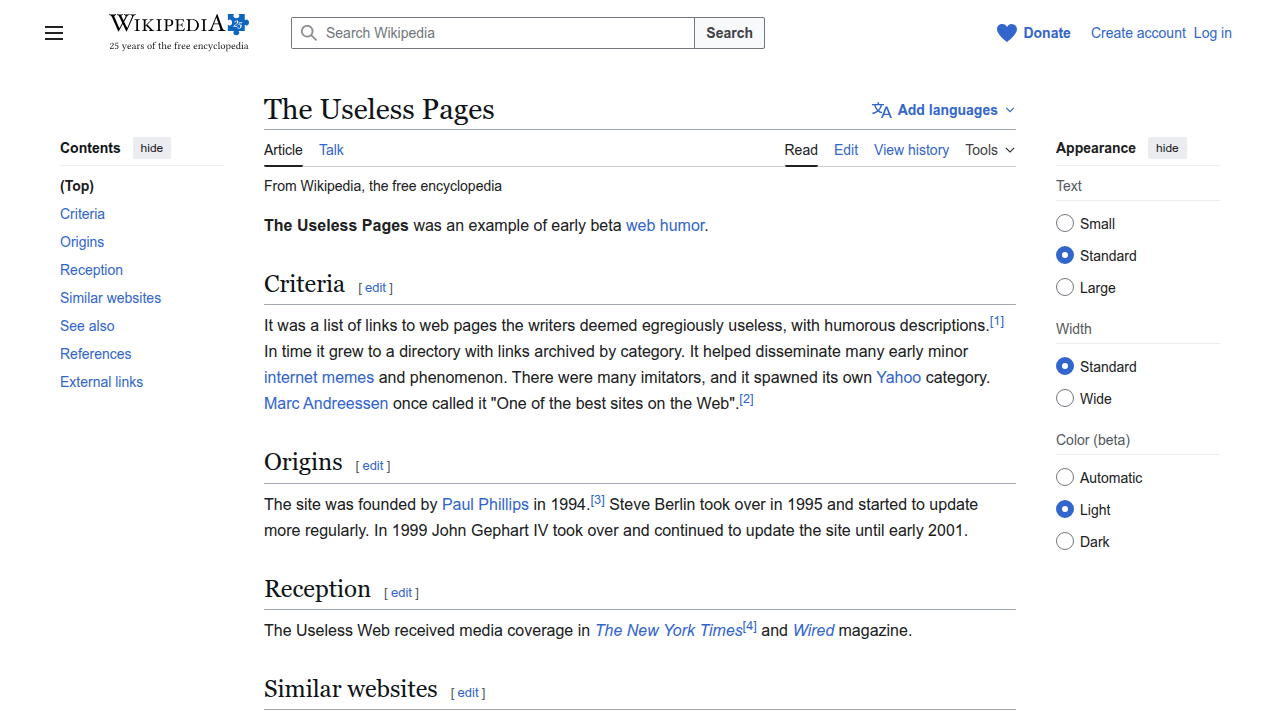
This idea of pointless websites has been around for a while. Back in the early days of the internet, sites like "The Useless Pages" were popular for their humor [^1].
Later, in 2012, a developer named Tim Holman created a central hub called "The Useless Web" to gather many of these quirky online places [^2].

It’s a whole subculture, really, showing us that the web can be about more than just work and facts [^3].
You might be wondering, "Why should I care about the useless web if I’m looking for a remote job, trying to become an appointment setter, or thinking about a new career?" That’s a great question! Actually, learning about even the silliest parts of the internet can help you in unexpected ways. This article isn’t just about wasting time. It’s about finding hidden value in unusual places.
We’ll show you how to safely enjoy these novelty sites without getting into trouble. You’ll discover transferable skills you might gain just by browsing, like critical thinking and digital awareness. Plus, we’ll explore creative ways you can use the fun of the useless web for things like unique outreach when applying for jobs or connecting with new people. Get ready to see the internet in a whole new light.
[^1]: The Useless Pages – Wikipedia
[^2]: Uh-oh! Prepare to lose some time exploring The Useless Web
[^3]: The Epic World of Useless Web and Its Real Meaning — Explained
What is The Useless Web? A quick primer
So, what exactly is "the useless web"? Simply put, it’s a special collection of websites that don’t serve any big, serious purpose. Instead, they are made just for fun, humor, or to show off a silly idea [^1]. You won’t find important news, shopping deals, or how-to guides here. The whole point of the useless web is to give you a quick, playful break from the serious side of the internet.
These novelty websites often have a few things in common:
- Single Purpose: Each website usually does just one thing. Maybe it’s a button that makes a funny noise, or a page that just shows a picture of a spinning cat. It’s usually very clear what the site is trying to do, even if that "thing" is totally random.
- Interactive Fun: Many of these sites let you click, drag, or type something to see a funny reaction. They’re like little digital toys.
- Humor and Surprise: The main goal is often to make you smile, laugh, or simply wonder "Why does this even exist?" They thrive on being unexpected and delightfully pointless [^2].
Think of it this way: if you’re looking for a "web restaurant" to order food, you’re on the useful part of the internet. If you land on a page that just shows a picture of a pizza that never arrives, then you’ve found a "useless website"!
How These Sites Get Around and Why They Stay Popular
You might wonder how people even find these hidden gems. Actually, it’s pretty simple! The useless web sites spread mostly by:
- Sharing with Friends: Someone finds a funny site and shares the link with their friends, often on social media.
- Curiosity: People get curious when they hear about strange websites. Websites like the original "The Useless Web" by Tim Holman act as a gateway, sending you to a random pointless site with a single click [^3]. This makes exploring easy and fun.
These kinds of sites have been around since the early days of the internet, showing up as "early web humor" [^4]. They continue to persist in 2026 because everyone needs a little break. In a world full of serious tasks and information, sometimes it’s nice to just click on something silly and forget about your to-do list for a moment. It’s a healthy reminder that the internet can be a place for simple joy, too [^5].
Why quirky websites matter to remote job seekers and appointment setters
You might be thinking, "What does a silly, pointless website have to do with my job, especially if I work from home?" Well, actually, a lot! For people working remotely, like appointment setters, these quirky corners of the internet can be more helpful than you’d imagine.
Working from home is great, but it can also make your brain feel tired. You’re always focused on tasks, calls, and emails. Taking short breaks, called "microbreaks," can really make a difference. Studies show that these small pauses can help you focus better, have more energy, and even feel less stressed [^1]. They boost your mental health and can make you feel better physically too [^2], [^3]. Think of visiting a useless website as a fun, quick microbreak.
Sparks New Ideas and Makes You Creative
When you’re constantly thinking about work, your ideas can get stuck. But when you visit a funny or unexpected website from the useless web, it’s like shaking up your brain. You see something completely different, something that doesn’t follow normal rules. This can spark new ways of thinking and boost your creativity [^4].
For remote job seekers and especially appointment setters, being creative is a superpower. You need to:
- Craft catchy messages: How can you write an email or a script that stands out? Seeing unusual website designs or funny words on a useless website might give you fresh ideas for your own outreach messages.
- Find new ways to talk: Instead of always saying the same things, looking at how quirky sites grab attention can inspire you to make your conversations more interesting. This helps you get past the usual ways of doing things.
- Solve problems in new ways: Sometimes, an appointment setter needs to find a creative path to reach a busy client. A brief escape to the unpredictable world of the useless web can clear your mind and help you spot solutions you might not have seen before.
Professional Benefits Beyond a Laugh
It’s not just about getting a laugh. These small doses of harmless fun can actually make you better at your job.
- Improved Prospecting Creativity: If you’re an appointment setter, you’re always looking for new ways to get people interested. A quick peek at a bizarre website might give you an idea for a unique opening line or a memorable follow-up message that makes you stand out from the crowd.
- Better Conversation Starters: Imagine finding a funny GIF or a strange fact on the useless web. These can be great, light-hearted conversation starters if you need to build rapport quickly, especially in sales support roles.
- Differentiated Follow-ups: Everyone sends "just checking in" emails. What if your follow-up had a touch of playful creativity inspired by an unusual online experience? It could make your message unforgettable.
Remember, even in 2026, remote workers need to stay sharp and avoid burnout. Taking a quick trip to the useless web isn’t wasting time; it’s a smart way to refresh your mind, boost your creativity, and ultimately, make you more effective in your remote role [^5], [^6].
You just learned how visiting the useless web can give your brain a helpful break and spark new ideas. That’s great! But hold on a second. Just like when you cross the street, you need to look both ways. The internet, even the fun parts, can have tricky spots. In 2026, it’s more important than ever to be careful online because scams and online bad guys are still very active [^1]. You want to make sure your quick mental break doesn’t turn into a big headache.
Here’s how to stay safe while exploring the useless web and other novelty sites.
Quick Safety Checks Before Clicking
Think of these as your online safety rules before you dive into a fun, weird website.
- Keep Your Browser Fresh: Make sure your internet browser, like Chrome or Firefox, is always up to date. These updates fix problems that bad guys can use to sneak in. Also, have a good antivirus program running on your computer. It’s like having a guard dog for your device.
- Hover Before You Click: When you see a link for "the useless website" or any other fun place, put your mouse pointer over it but don’t click. Look at the bottom corner of your screen. A small box usually pops up showing the real web address. Does it look strange or different from what you expect? If so, maybe don’t click it.
- Check the URL Carefully: Once you do click, look at the web address at the top of the page. Does it start with "https://"? The "s" means it’s usually more secure. If it’s a jumbled mess of letters and numbers that don’t make sense, or if it looks very similar to a popular site but has a tiny change, be careful. For example, if you were looking for a "web restaurant" site, make sure the name is spelled correctly.
Watch Out for Red Flags
Once you’re on a novelty site, some things should make you instantly wary.
- Too Many Pop-ups: If a site immediately floods your screen with pop-up ads, especially ones that are hard to close, that’s a bad sign. Legitimate fun sites don’t usually do this.
- Demands for Downloads: Does the site suddenly tell you to download something to "see the content" or "play the game"? Do not download it. These can hide harmful software.
- Asks for Personal Info: A silly site from the useless web should not ask for your password, bank details, or even too much personal information. If it does, close the page right away. In 2026, online fraud and phishing are still major concerns for individuals [^2].
- Strange Error Messages: If you get weird error messages or your computer starts acting funny after visiting a page, it’s time to close that tab and run a quick scan with your antivirus.
- Unusual Behavior: Does the site redirect you to other pages without your permission? Does it try to make you click buttons you don’t understand? Trust your gut. If it feels wrong, it probably is. Cyber threats and fraud have increased globally, and everyone needs to be on guard [^3], [^4].
By keeping these simple tips in mind, you can enjoy your microbreaks on the useless web safely. These quirky corners of the internet can still be a great way to refresh your mind, just be smart about how you explore them.
You just learned how to explore the useless web safely. That’s a great start! Now, let’s make those fun, quick breaks even more useful. What if those silly sites could actually help you get better at your job? Actually, they can. For people who set appointments, exploring playful web ideas can sharpen some very important skills needed in 2026.
Appointment setters need to be great at talking to people and grabbing their attention quickly. They also need to be good at finding out what others need and thinking fast on their feet. These are called essential communication skills and they are key to success [^1]. The useless web might seem, well, useless, but it’s a playground for practicing these exact things.
Let’s look at some skills you can make stronger:
Creative Copywriting for Catchy Messages
Appointment setters often write short emails or messages to get someone interested. You need to write things that stand out, not boring messages. This is called creative copywriting.
- Mini-Exercise: Visit the useless website. Pick a silly site there, like a "web restaurant" that makes up funny menu items or a simple game that does not make sense. Imagine you have to write a super short message (like a social media post or an email subject line) to get someone to visit this silly site. Make it fun and curious. What would you say to make them click?
- Why it helps: This practice teaches you to craft short, interesting sentences that make people want to know more. This is very important for getting replies from potential clients [^2].
Rapid Idea Prototyping for Quick Thinking
Sometimes, you need to come up with ideas very fast. Maybe a client asks a tricky question, or you need to find a new way to explain something. This is about thinking on your feet.
- Mini-Exercise: Go to a random page on the useless web. It might be a site that just shows a spinning cat or one that makes strange sounds. Pretend this site is a "product" you need to explain to someone in just 10 seconds. What’s the main, funny "benefit" you could tell them? How would you make them see it as interesting, even if it’s really just for fun?
- Why it helps: This helps you quickly find the most interesting parts of something and explain them simply. This skill is part of being adaptable, which is a big help for remote appointment setting roles today [^3].
Curiosity-Driven Research for Better Understanding
A good appointment setter asks questions and really tries to understand what a potential client needs. This is like being a detective.
- Mini-Exercise: Dive into the useless website again. Find a site that looks particularly odd, like one that always shows a different strange picture or maybe a "dogpile website" of weird facts. Now, without anyone telling you why it exists, try to figure out its "purpose." What makes it special? What problem, even a funny one, does it try to solve?
- Why it helps: This teaches you to explore and ask "why" about things, helping you find unique details about potential clients that others might miss [^4].
Conversational Hooks for Great Openings
Starting a conversation well can make or break a call. You want to say something that grabs attention and makes the other person want to listen.
- Mini-Exercise: Find a really funny or surprising image, video, or simple game on the useless web. Now, imagine you are calling a potential client. How could you use something related to that funny thing as a quick, friendly opener? The goal is to make them smile or feel curious before you talk about your actual business. It’s about building rapport early [^1].
- Why it helps: This helps you create memorable and unexpected ways to start a chat, making your calls more engaging.
How to Show Off These Skills
When you practice these mini-exercises, you can keep a simple notebook or a document on your computer. Write down the silly site you used and what you created for each exercise (your short message, your 10-second pitch, your research notes, your funny opening line).
In interviews, you can talk about how you actively work on these important skills. You could say, "I even use fun online exercises, like those on the useless web, to keep my creative thinking sharp. For example, I practice writing catchy email subject lines by imagining I’m promoting a silly ‘web restaurant’ from the useless web." This shows you are creative, proactive, and always looking for ways to improve, which can really make your profile stand out as an appointment setter [^5].
Turning Novelty Sites into Creative Outreach and Prospecting Ideas
You’ve seen how playing on the useless web can sharpen your core skills. Now, let’s take those fun practice sessions and turn them into actual ways you can connect with potential clients. As an appointment setter, getting someone’s attention is key, and being creative can make all the difference in 2026.
The trick is not to send clients to a silly website, but to use the ideas you get from them to make your messages more interesting and stand out. It’s about using the spirit of curiosity and unexpectedness that defines the useless web to craft your own unique outreach [^1].
Tactical Templates for Catchy Messages
Here are some ways to turn your useless web practice into real outreach:
1. Creative Subject Lines and Short Messages
Think back to the "web restaurant" exercise from before. You imagined writing a message for a silly site. Now, use that skill for a real client!
- Template Idea: Start with a question or a playful thought that connects to your client’s world, but with a touch of the unexpected.
- Example: Instead of "Meeting Request," try, "Ever seen a ‘pizza of problems’ solved? (Not literally, but I have an idea for your team!)" This uses a fun, imagined idea to pique curiosity, then quickly moves to the business reason.
- Why it works: It makes people pause and wonder, breaking through the usual boring emails. Good communication means grabbing attention fast [^4].
2. Engaging Opening Lines for Calls
When you call someone, those first few seconds are super important. Remember how you practiced explaining a strange site in 10 seconds? Use that quick thinking to create a memorable opening.
- Template Idea: Mention a simple, relatable, or slightly surprising observation. Then, smoothly link it to the client’s business challenge.
- Example: "I was looking at some unique digital creations today, and it got me thinking about how often simple solutions are hidden in plain sight. This made me think of [Client’s Company Name] and how we might help with [Specific Problem]."
- Why it works: This approach can build rapport early by showing you’re a human who thinks creatively, not just another salesperson [^3]. It’s about being adaptable and engaging [^5].
3. Social Media Posts that Spark Interest
Social media is a great place to show off your personality and start conversations. Use the "dogpile website" or "remini web" ideas to create engaging content.
- Template Idea: Share a curious thought or a lighthearted "what if" question, inspired by the weirdness of the useless web, and then ask your audience to join in.
- Example: "Just found a ‘remini web’ site that makes up silly facts. It got me thinking: What’s the most unexpected benefit your clients get from working with you? Share below!"
- Why it works: It encourages interaction and shows you’re thinking outside the box, making your professional profile more attractive [^6].
Being Professional While Being Creative
It’s important to be clear: the goal is to use these novelty sites to make you more creative, not to act unprofessional. The useless web itself, born from early web humor, is mostly for fun [^2].
- Do: Use the style of these sites (curiosity, surprise, simplicity) in your messages.
- Don’t: Directly send a client to the useless web unless you have a very specific, lighthearted, and trusted relationship with them.
- Focus on the link to value: Always make sure your creative hook quickly connects to how you can help the client. The fun part gets their attention; the value keeps it.
A Mini Playbook for A/B Testing Your Hooks
How do you know if your creative messages are working? You test them! This is called A/B testing.
- Create Two Versions: Write one message the "normal" way and one with your new, useless-web-inspired creative hook.
- Pick Similar Targets: Send Version A to one small group of potential clients and Version B to another similar group. Make sure the groups are alike so your test is fair.
- Track the Results: See which message gets more replies, clicks, or positive responses. Many marketing tools in 2026 can help you track this easily.
- Learn and Adjust: If your creative hook worked better, great! Use it more. If not, try a different creative idea next time. Learning what works helps you get better appointments [^3].
By practicing these steps, you’ll not only have fun exploring the useless web but also become a more effective and memorable appointment setter.
You’ve learned how playing on the useless web can spark fun new ideas for talking to people. Now, let’s look at the best ways to keep those ideas organized and use them safely in your daily work. It’s all about making your computer ready and having a plan for your creative discoveries.
Tools, browser practices, and workflow integration
When you explore cool and sometimes weird sites from the useless web, it’s smart to have good habits. Think of it like being careful when you look for job openings online to avoid bad links or scams. You want to make sure your computer stays safe while you find new ideas for outreach in 2026. Experts often warn about being careful online, no matter what you’re doing [^1].
Keeping Your Discoveries Safe and Tidy
Here are some ways to keep your browser and your ideas neat:
- Browser Profiles or Guest Mode: Imagine having a separate playground just for exploring. Most browsers let you make a special "guest" profile or a new user profile. This keeps your fun web surfing separate from your important work stuff. If you go to a strange site, like a "dogpile website" or a "remini web" site, it won’t mix with your regular work tabs.
- Smart Bookmarking and Tagging: Don’t just save everything! When you find a useless website that gives you a great idea, save it with a clear name. Use tags like "creative outreach," "subject line ideas," or "fun call openings." This way, you can easily find your "web restaurant" inspiration later.
- Simple Browser Extensions: Some tools can help. A good bookmark manager extension can keep your saved links super organized. Just be careful about what extensions you add; always check that they are well-known and trustworthy.
Putting New Ideas into Your Work
Once you find a great idea from the useless web, how do you actually use it?
- CRM Notes: If a "dogpile website" makes you think of a funny way to talk about a client’s problem, write it down! In your Customer Relationship Management (CRM) system, add a note like, "Idea for [Client Name]: talk about ‘untangling the web’ of their issues, inspired by a weird site." This keeps your creative thoughts linked to the right client.
- Content Calendars: For your social media posts or emails, if a "remini web" site sparks an idea for a fun question, put it in your content plan. For example, "Post on Tuesday: ‘What if your product could do the opposite of [silly useless web function]? It can! Here’s how…’"
- Outreach Templates: You can make special spots in your email or call templates for these creative hooks. Instead of writing a whole new message each time, you can quickly drop in an idea inspired by the useless web.
A Simple Plan: From Idea to Action
Turning a fun useless website into a real outreach idea is easy with these steps:
- Spot the Spark: You’re exploring the useless web and a site, maybe a "web restaurant" or a simple game, makes you think, "Hey, that reminds me of how I can help a client!"
- Jot It Down Safely: Open a note, or use your bookmark tool to save the idea quickly. Write down why it sparked an idea and what kind of message it could be. Remember to use safe browsing habits when finding these sites [^2].
- Turn It into a Plan: Now, take that idea and think about a real client or a real outreach goal. Make it useful. For example, if a "remini web" site made you laugh, think about how that same feeling of lightheartedness could be used to make a serious message more friendly.
By following these steps, you’ll not only enjoy exploring the useless web but also turn it into a powerhouse for new ideas. It helps you stay creative and effective in your outreach, all while keeping your digital workspace safe. Remember, staying safe online is always important, no matter what websites you visit [^3].
Setting limits: balancing curiosity with productivity and mental health
Exploring fun and strange sites on the useless web can be a great way to get new ideas. But it’s also important to make sure this fun time helps your work, instead of taking away from it. Think of it like taking a short break that actually makes you better at your job. In 2026, many people work from home, and finding a good balance is key to staying happy and getting things done.
Microbreaks for a Better You
Short breaks, called microbreaks, are super helpful. They are quick pauses, maybe just a few minutes long, that you take during your workday. Research shows that these little breaks can make you feel less tired, give you more energy, and even help you focus better [^1]. They can also reduce stress and make your mind feel fresher [^2].
Using the useless web for a microbreak means you might spend 5 to 10 minutes on a silly site, like a "dogpile website" or a "web restaurant." This can spark creativity and give your brain a quick reset. Experts say microbreaks can even improve your mental health and overall job performance [^3].
Watching Out for Time Traps
While the useless web is fun, it’s easy for a quick break to turn into a long one. This is called a time sink. Here are some signs you might be falling into a time trap:
- You feel like you’re losing track of how much time you’re spending.
- You’re starting to feel tired or bored instead of refreshed.
- Your important work isn’t getting finished on time.
Even though many remote employees report being more productive at home in 2026, it’s still important to manage your time wisely [^4]. Taking too many or too long breaks can make you feel worse, not better. Checking in with yourself often can help.
Setting Boundaries for Playful Browsing
To make sure your useless web adventures stay helpful, try these simple rules:
- Set a Timer: Decide how long you will spend on sites like a "remini web" or other fun pages. Maybe 5 or 10 minutes. Use a timer on your phone or computer. When it rings, stop.
- Schedule It: Pick specific times for your microbreaks. For example, "I’ll explore the useless web for 7 minutes at 10:30 AM and again at 2:00 PM." This makes it part of your plan, not just something you fall into.
- Use Blockers (If Needed): If you find it really hard to stop, some tools can block certain websites after a set time. You might not need these, but they are there if you do.
- Have a Goal: Before you start, tell yourself, "I’m looking for one new idea for an email subject line" or "I just want a quick laugh to clear my head." This keeps your browsing focused, even if it’s for fun.
By having a plan for exploring the useless web, you can get all the good creative benefits without letting it take over your workday. It’s all about using curiosity in a smart way that helps your productivity and keeps your mind happy.
Evaluating opportunities you find via odd or novelty sites
Sometimes, while you are taking a fun break on the useless web, you might find something interesting. Maybe you see a strange job posting or a company that sounds really cool, even if you found it on a "dogpile website" or a "web restaurant." It’s great to be curious and open to new ideas. But it’s also super important to make sure these opportunities are real and safe.
Here’s the thing: in 2026, online scams are still a big problem. Many people feel less sure about spotting scams, and fake job postings and tricky companies are out there [^7], [^8]. You need to be careful, especially if you find something on a very unusual site like a "remini web" page.
Let’s talk about how to check if something you find is truly a good opportunity or just a trick.
How to Check if an Opportunity is Real
When you stumble upon a company or a job posting, even from a fun corner of the useless web, it’s smart to do some quick detective work. This helps keep you safe and makes sure you don’t waste your time or, worse, give out personal information to the wrong people.
Here’s a checklist of things to do:
- Find Their Official Website: Search for the company’s name on a regular search engine like Google. Does it have a professional website that looks real? Check that the website address is correct and not slightly off. A real company will almost always have a clear, well-made official site.
- Look for Other Job Postings: If it’s a job you found, search for that exact job title on well-known job sites or the company’s official career page. If the job is only listed on a strange site and nowhere else, that’s a red flag [^9]. Real companies usually post jobs in many places [^6].
- Check Contact Information: Look at the email address. Does it match the company’s website (like
name@companyname.com)? Be careful if they only use a general email like Gmail or Outlook, especially for a job offer. Also, see if there’s a real phone number you can call. - Search for Reviews: What do others say about this company online? Look for reviews on sites like LinkedIn, Glassdoor, or even general news articles. If you can’t find much, or if there are many bad reviews, that’s a warning.
- Be Careful with Personal Information and Money: A real job or company will almost never ask you for money upfront. They won’t ask for your bank details or social security number very early in the process either [^4]. If they ask for these things, stop talking to them.
- Trust Your Gut Feeling: If something feels too good to be true, it probably is. If anything makes you feel uneasy, it’s best to walk away. It’s better to be safe than sorry.
By taking these quick steps, you can enjoy exploring the useless web for fun and new ideas without falling for any tricks. Staying smart about what you find online is key to a safe and happy experience.
Summary
This article explores the playful corner of the internet known as the "useless web," explaining its origins, typical features, and why those pointless sites still matter in 2026. It shows how short, whimsical visits to novelty pages can act as productive microbreaks that boost creativity, idea generation, and communication skills—particularly for remote workers and appointment setters. The guide covers practical safety checks to avoid scams, how to extract outreach hooks and subject lines from silly sites, and simple exercises to sharpen quick-thinking and copywriting. It also explains browser tools, bookmarking workflows, and CRM methods to capture ideas safely, plus rules for setting time limits so playful browsing helps rather than harms productivity. Finally, it offers a checklist for vetting any real opportunities discovered on odd pages, so you can enjoy creative exploration without risking your security or time.