How to Contact Facebook Support Fast in 2026 Real Working Methods
· 19 min read

Introduction: Why Reaching Facebook Support Matters for Your Remote Career
Imagine this: You’re an appointment setter who relies on Facebook every day. You use it to network with hiring managers, join job groups, manage your business page, and even track down leads for remote sales roles. Then one morning, you try to log in and see a message: “Account disabled.” Or maybe your account gets hacked. Your heart sinks.
It happens more often than you think. In 2026, a staggering 73% of people have had their social media accounts hacked across multiple platforms, with an average individual loss of $180. And recovering a hijacked account takes about 17 days on average, according to research from StationX.
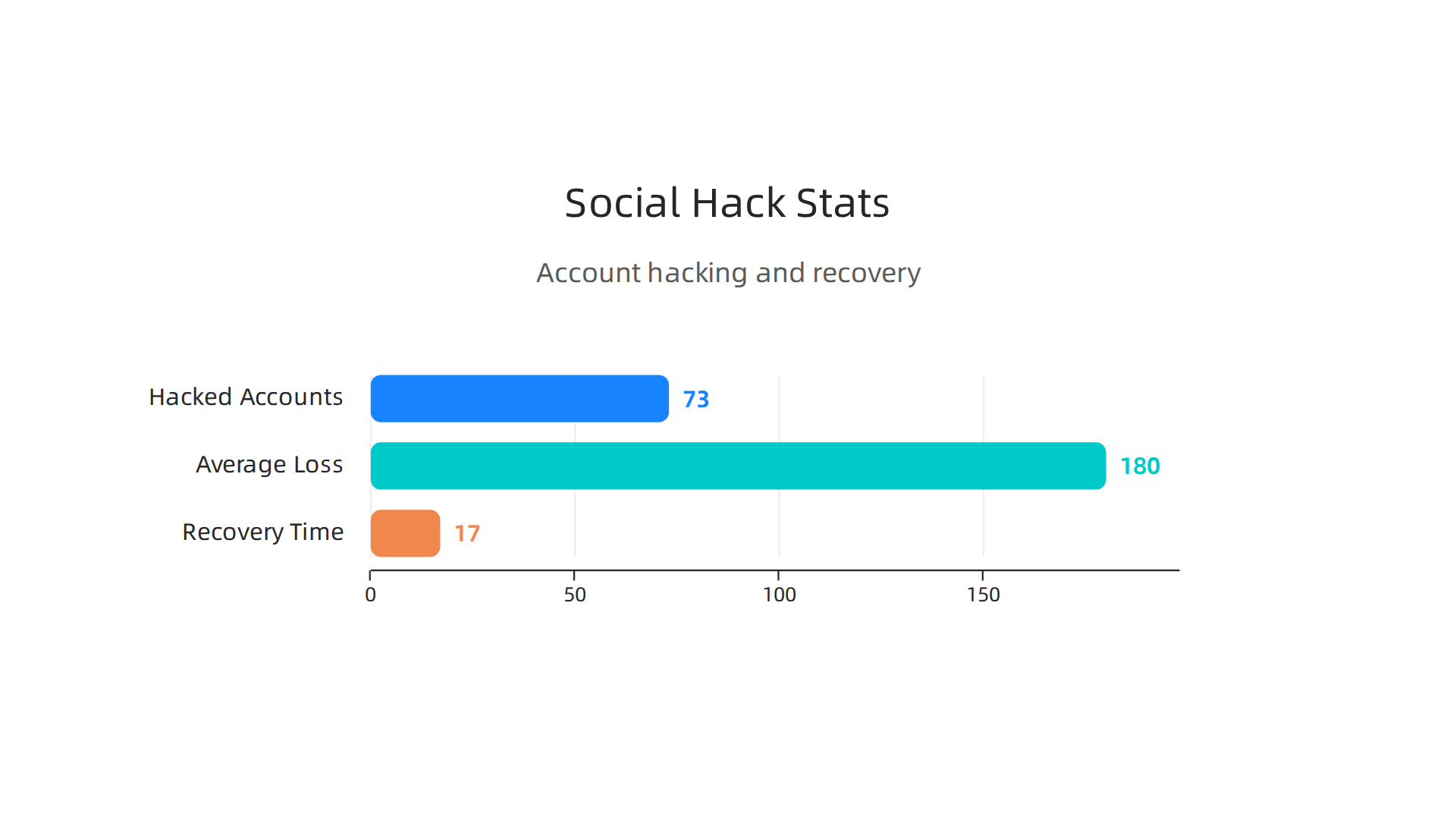
For someone job hunting or managing client calls, 17 days can feel like an eternity. After 180 days, Facebook permanently deletes disabled accounts, and all your data is gone for good, as noted in a 2026 recovery guide.
That is why knowing how to contact Facebook support quickly and effectively is not just a nice to have. It’s a career protection skill. Whether your account is hacked, locked, or you’re just wondering “is Facebook down?”, having a clear path to facebook help can save your job search, your client relationships, and your peace of mind.
This guide gives you the real, working methods to reach facebook support based on official channels and actual user experiences. You will learn how to use the Facebook Help Center, the Meta Account Recovery Hub, and other proven tactics to get your account back fast. No fluff, no guesswork. Just practical steps to keep your remote career on track.
1. Use the Facebook Help Center – The First Stop for Self-Service
When panic hits, your first instinct might be to search for a Facebook phone number. But here is the truth: most phone numbers you find online are outdated or fake. The real place to start for any facebook help issue is the official Facebook Help Center.
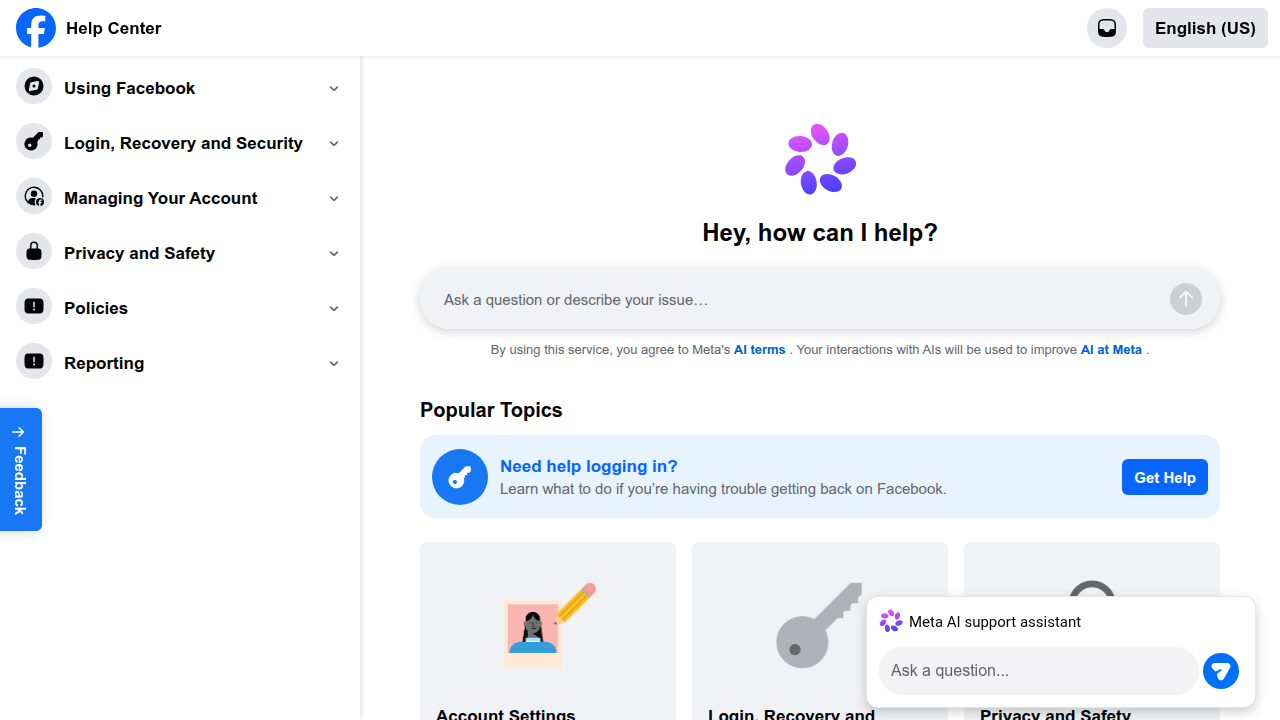
Think of the Help Center as Facebook’s own instruction manual. It contains articles that solve about 90% of common problems. Whether you are locked out, dealing with a hacked account, or just wondering "is facebook down?", the answer is likely already there. A helpful 2026 guide on YouTube walks through exactly how to navigate this system step by step.
The key is to search the right way. Do not type full questions. Instead, use specific words like "account disabled" or "two-factor authentication recovery". This helps the system pull up the exact fix you need. It is much faster than scrolling through generic help topics.
There is another big reason to use the official Help Center. Safety. Fake support pages and scam ads are everywhere online. They are designed to steal your login details. A 2026 recovery guide warns that you only have 180 days to recover a permanently disabled account before Facebook deletes it. You cannot afford to get tricked by a fake page. As one writer on Johnny Africa explains, the panic of losing access can make people fall for bad advice.
The Help Center is also your gateway to the Meta Account Recovery Hub. This is Meta’s central tool for recovering Facebook, Instagram, and Threads accounts.
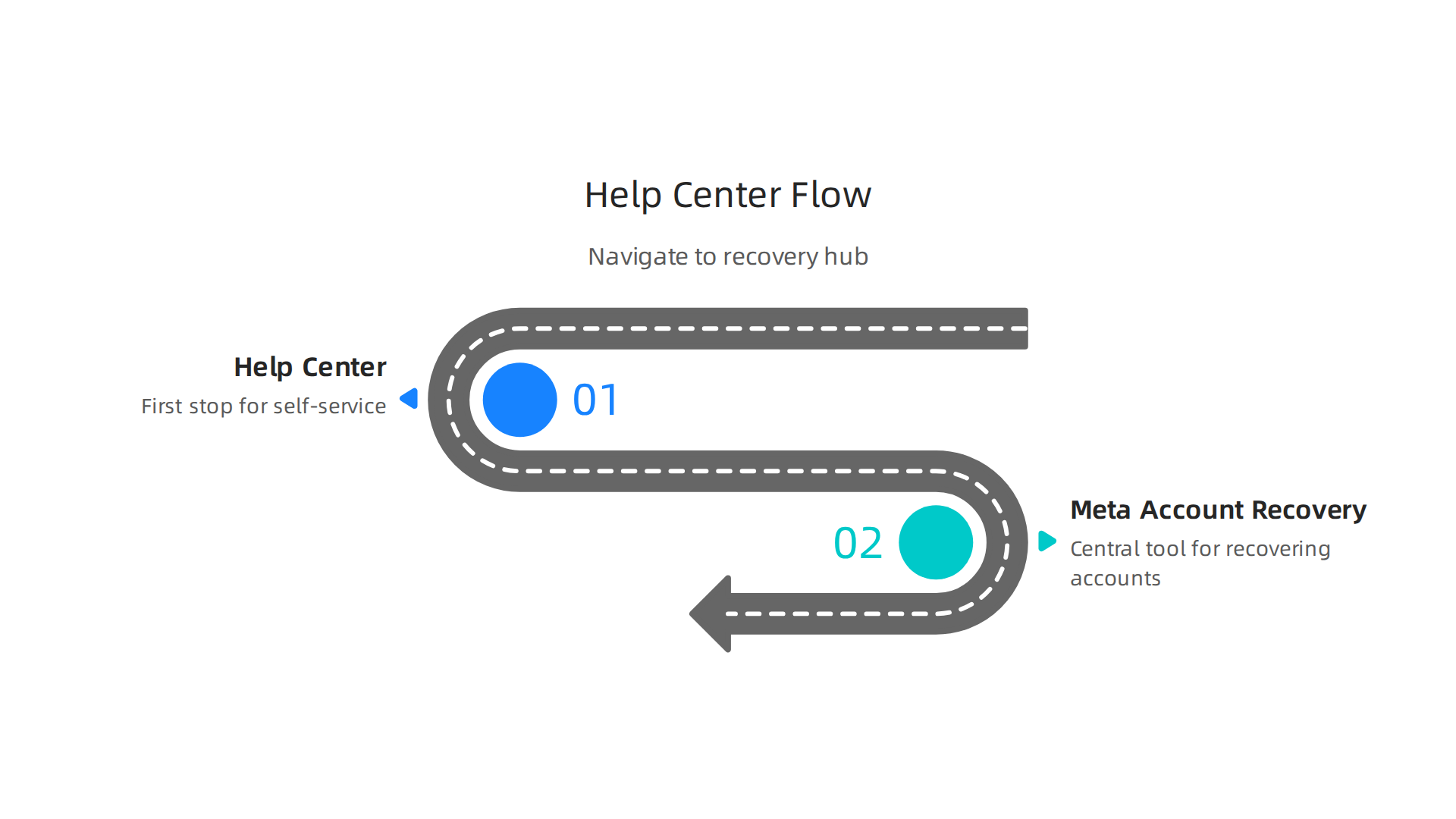
It is the most secure and direct path available to begin your recovery.
The Facebook Help Center is your quickest and safest first step. It saves you time, protects you from scammers, and guides you toward the right solution. If your issue is not covered there, the next part of this guide will show you exactly how to escalate and contact facebook support directly.
2. Submit a Support Request via the Inbox (Direct Message to Meta)
Okay, so the Help Center did not have your answer. Do not panic. That happens with more complex issues like a hacked account or a permanent ban. You now need to send a direct message to Meta’s support team.
The way to do this is through the Support Inbox. You can find it inside the Help Center. Think of it as your direct line to the people who can actually fix your account. A helpful 2026 guide on YouTube walks through exactly how to find and use this inbox step by step.
Here is how to make your request get noticed faster.
First, write a clear subject line. Do not use something vague like "Help please." Use something specific like "Account Disabled Without Reason" or "Hacked Account Recovery."

Second, attach screenshots. If you are seeing an error message, take a picture. If you have proof of your identity, include it. Visual proof helps Meta understand your problem without sending follow-up emails. This is especially critical because a 2026 guide on recovering disabled accounts warns that you only have 180 days to recover a permanently disabled account. Every day of back-and-forth messaging costs you time.
Response times vary. Simple issues might get a reply in a day or two. More serious cases like account disabling or hacking often get priority treatment. That is because the stakes are higher. According to the 2026 social media hacking statistics, the average person loses $180 per hacking incident and it takes 17 days to recover. So Facebook does prioritize these cases.
But here is the thing. The Support Inbox is your best chance to contact facebook support without getting lost in automated replies. It puts your request directly in front of a human reviewer. Use it wisely. Be clear. Be patient. And always double check that you are on the real Meta Account Recovery Hub before entering any login details.

Scammers love to copy these pages.
If the inbox does not resolve your issue, do not give up. The next method is even more direct and it involves working with a real person on the other end.
3. Live Chat – Does Facebook Offer Real-Time Support in 2026?
You want to talk to a real person right now. Not wait for an email. Not send a message into the void. You want live chat. So does Meta offer it in 2026?
The short answer is yes, but not for everyone. Meta has tested live chat support for certain users. The main group that gets this option is advertisers. If you run ads on Facebook, you can click "Get Help" on the Facebook for Business website. This opens a live online chat with a support agent. It is one of the fastest ways to get a real answer from a human.
But if you are a regular user with a personal account, live chat may not show up for you. That can be frustrating. Especially when you are stuck and just want to contact facebook support immediately.
Here is how to check if you have access.
Go to the Facebook Help Center. Search for a help article that matches your problem. Look for a blue button that says "Get Started" or "Contact Us" near the bottom of the article. If that button appears, click it. The system will then check your account and see if live chat is an option for you.
Some users report seeing a chat widget pop up after clicking that button. Others only get the inbox option we talked about earlier. It depends on account history, region, and whether you have ever spent money on ads.
If you do not see the live chat option, do not waste time searching for it. Move on to the next method. In 2026, live chat support is essential for many businesses, but Facebook still reserves this feature for a select group of users. For everyone else, there is a more reliable path forward.
4. Contact Facebook Support on Twitter (X) – The Public Pressure Method
If live chat didn’t work for you, don’t give up. There is another way that many people swear by. It involves Twitter, now called X. The idea is simple: make your problem public, and Facebook’s support team will notice faster.
Here is how it works. Go to X and find the account @FacebookSupport. This is the official support handle for Facebook.
Send a tweet with your issue. Keep it short and clear. Mention your case number if you have one.

For example: "Hey @FacebookSupport, I am locked out of my account. Case number 123456. Please help."
Why does this work? Because public tweets put pressure on the company. They want to show they are helping customers. So they often reply faster to a public post than to a private message. Many users report getting responses within hours or even minutes.
But you must be smart about it. Never share personal information in the tweet. Do not post your email address, phone number, or password. Keep it vague. Then, when @FacebookSupport replies, they will likely ask you to send a private message or check your Support Inbox. That is where you can share details safely.
This method works especially well for account recovery. If your account was hacked or you suddenly cannot log in, a public tweet can get the ball rolling fast.
One more tip: be polite. Angry tweets usually get ignored. A calm request is more likely to get a helpful response.
So if you need to contact facebook support and the standard options are slow, try the public pressure method. It has helped thousands of people get their issues solved quickly.
5. Leverage the Facebook Community Forums – Peer Help & Staff Monitoring
Is Facebook giving you trouble and regular support is slow? Do not give up yet. Facebook runs its own Community Forums. These forums are built for users like you to help each other. They are a powerful tool that many people forget about.
Here is how they work. You post a question about your problem. Then, experienced users and moderators reply with answers. These are people who know Facebook well. They have seen your issue before. They often share fixes that work fast. This peer help is very useful.
But there is more to it. Meta support staff also watch the forums. They do not reply to every post. But they look for threads that stay unsolved. If your problem is tricky, a staff member may step in. So the forums give you two paths to help. First from the community. Then from official staff.
Before you post, do one important step. Search the forums first. Type your exact error into the search bar. For example, "I cannot log in" or "my account was hacked." You will likely find that someone else already solved the problem. This saves you time and effort.
The forums also pair well with the Facebook Help Center. You can read an official guide there. Then visit the forums for real user tips. This combination covers you from all angles. And if you are unsure if the problem is on your end, check the forums. A flood of new posts about the same issue tells you if Facebook is down for everyone.
Using the Community Forums is a free and clever way to get attention for your issue. It connects you with a whole network of helpers. And sometimes, that is exactly what you need to finally fix your problem and move on.
6. Use the ‘Report a Problem’ Feature Built Into the App
The Community Forums are great for connecting with other users. But what if you need to contact facebook support directly about a bug or glitch? Facebook built a tool just for that. It is called the "Report a Problem" feature. And it lives right inside the app you use every day.
Here is how to find it. On the Facebook app, tap the menu icon (your profile picture or the three lines). Scroll down to Settings & Privacy. Tap it. Then look for Help & Support. Inside that menu, you will see Report a Problem.
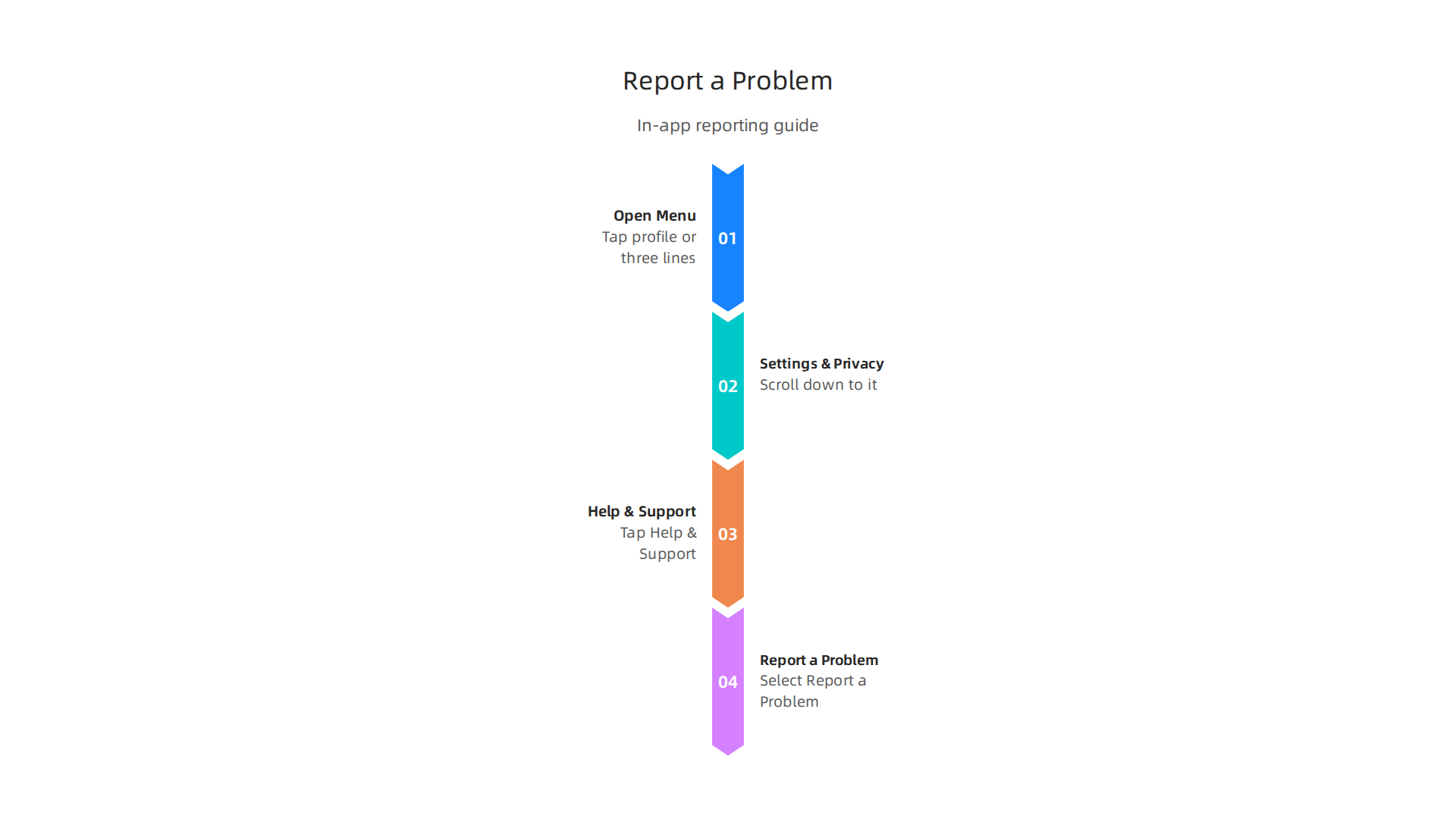
That is your direct line to Meta’s engineers.
This method is not for account recovery. If you are locked out or hacked, you need the standard recovery flow. This feature is best for technical bugs. Think things like a broken feed, a button that does not work, or the app crashing. It alerts the teams who actually build and fix the software. For a visual walkthrough, you can see the full process in this 2026 guide on how to contact facebook support.
To get a fast fix, you need to write a good report. Do not just say "Facebook is broken." Be specific. Include these four things:
- A clear title: "Cannot upload photos on Android"
- Steps to reproduce: "1. Open app 2. Tap photo icon 3. App freezes"
- A screenshot or screen recording: This is the most important part. A picture shows the issue instantly.
- Your device info: "Samsung Galaxy S25, Android 15, Facebook app version 450.0"
This sends a detailed feedback report straight to the engineering team. It is one of the most direct ways to contact facebook support for technical problems. And if you see a flood of similar reports, you know it is not just you. You can check if other users are wondering "is facebook down" and get confirmation fast.
7. Contact Support via Phone – Is There a Working Number in 2026?
You might be tempted to pick up the phone and call Facebook. After all, that is how most companies handle problems. But here is the honest truth for 2026: Meta has officially discontinued general phone support for most users. That means the old 1-650 numbers you find on random websites are not real anymore.

Scammers know people want a fast solution. They list fake Facebook support numbers all over search results. If you call one, you risk giving away your login info or paying for fake help. Never trust a phone number you find through a quick search. Only use numbers that appear inside your actual Facebook account settings, if any show up at all.
So is there any way to actually speak to a human? Yes, but only if you are an advertiser. Business accounts have a different path. If you spend money on Facebook ads, you can visit the Facebook for Business website and look for the "Get Help" button. That opens access to one-on-one support through live online chat and sometimes even a callback request. The service is built for paying customers, so it is much faster than the general help routes.
For non-advertisers, phone support is off the table. You will have to rely on the other methods in this guide, like the "Report a Problem" feature or the community forums. Those are your real ways to contact facebook support in 2026.
If you run ads and need urgent help, the "Request a Call" option in the Business Help Center is your best bet. It lets you talk to a real person without chasing a fake number. And if you are just looking for general answers, live chat support has become the standard for many platforms, including Facebook business tools. It is faster, safer, and easier than trying to find a working phone line.
Bottom line: do not waste time on phone numbers. Use the official tools inside your account to contact facebook support. That is the only way to get real help.
8. Business Help Center – Dedicated Support for Advertisers & Page Owners
If you run ads or manage a business page, you do not have to fight with the useless phone system. Meta has built a separate help desk just for paying customers. It is called the Business Help Center, and it is the only real way to contact facebook support for urgent business problems in 2026.
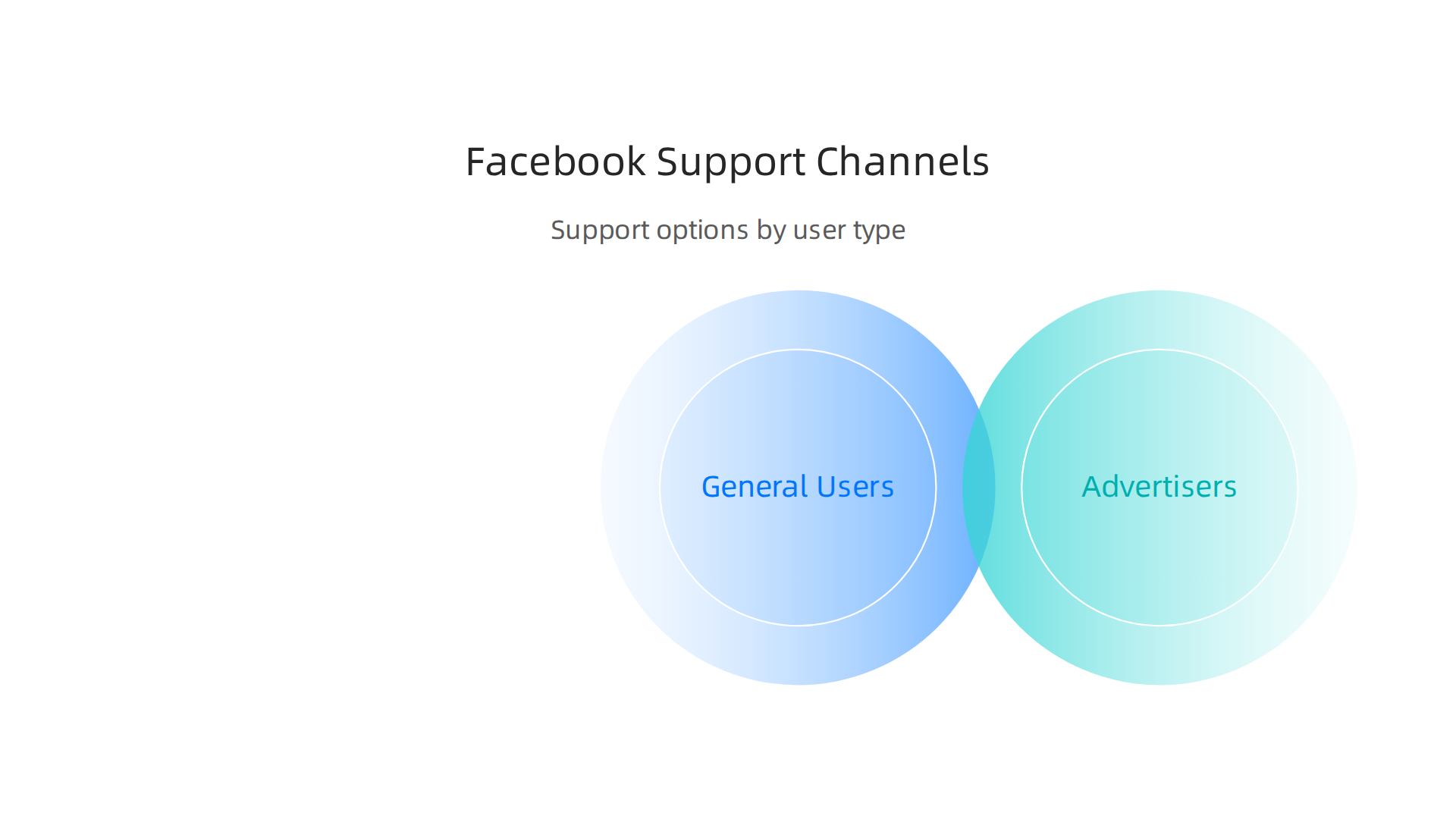
Inside the center, you can click the "Get Help" button. This opens a direct line to one-on-one support through live online chat. Most companies now use live chat because it is faster than waiting on hold. In fact, live chat support has become the standard for fast problem solving in 2026. You describe your issue, and a real person helps you right away. No waiting for hours.
You might need to verify your business account first. And you usually have to spend some money on ads before this option appears. That keeps the system from getting flooded with requests from non-customers. But if you are serious about using Facebook for business, this is a small price to pay.
Here is something appointment setters should know. If you use Facebook to find leads and book calls, a Business account helps you in two ways. First, it gives you better tools for targeting the right people. Second, it unlocks real support when your account gets flagged or something breaks. When you are trying to reach clients, you cannot afford to lose access for days. The Business Help Center fixes that.
If you ever ask yourself "is facebook down" or run into a billing problem, start here. Skip the phone numbers. Use the official Business Help Center to get real help fast.
9. Meta Verified – Premium Support for Subscribers
The Business Help Center works well if you spend money on ads. But what if you do not run ads? What if you use Facebook mainly to network, find job leads, and apply for roles? Then you can still get real support. You just need to pay for it.
Meta Verified is a paid subscription that gives you a blue checkmark and, more importantly, priority support. Think of it as a VIP pass for contacting Facebook. When you subscribe, you get access to direct support from a real person. No more digging through the Facebook Help Center hoping for answers.
According to Meta, they are using AI tools to make support faster and safer for users. But the real win for subscribers is that you get a designated support agent or a faster response time. As one guide explains, Meta Verified comes with benefits like enhanced support, impersonation protection, and better visibility for your posts.
Here is the part that matters for your job search. If you rely on Facebook to network with hiring managers, join industry groups, or find appointment setter roles, you cannot risk losing access. A sudden login problem or a hacked account can ruin your job hunt. Meta Verified helps you get help fast when something goes wrong.
The subscription costs a monthly fee. It is available in select countries for both personal and business accounts. If you often ask yourself "is facebook down" when your account acts up, this subscription could save you hours of frustration.
For appointment setters and sales professionals who depend on Facebook for leads and connections, the cost is worth it. You get a verified badge that builds trust, plus the support you need when problems hit. If you are serious about using Facebook for your career, check the latest pricing and see if the subscription is available in your country.
10. Escalating to the Better Business Bureau (BBB) or Regulators
You have tried everything so far. You have searched the Facebook Help Center. You have used the Business Help Center. Maybe you even paid for Meta Verified to get priority support. But what if the problem still is not fixed?
Sometimes Meta’s AI tools cannot handle complex account issues. Meta has been rolling out new AI features for support in 2026, but these tools work best for simple questions. If you are locked out of a business page that pays your bills, AI will not help much.
This is when you need to play hardball.
The Better Business Bureau (BBB) is a nonprofit that helps resolve disputes between customers and companies. You can file a formal complaint against Meta through the BBB website. The complaint gets sent directly to Meta’s legal and compliance teams. And here is the thing. Meta often responds to BBB complaints much faster than they respond to a random message sent through the contact facebook support form.
You should only use this option for serious, high-impact problems. For example, if you cannot access a Facebook page that contains all your job leads and client contacts for your appointment setter work, that is a good reason. A slow loading page is not.
If you live in the United Kingdom, you have another powerful option. You can file a complaint with the ICO (Information Commissioner’s Office). The ICO enforces data protection laws. These laws give them real authority over Meta. If your problem involves losing access to your data or having your personal information mishandled, the ICO can pressure Meta to act. This can force a response much quicker than a standard ticket.
Think of these options as your emergency exit. They are not for small frustrations. They are for real problems that hurt your career. If you have a genuine loss, and every other attempt to contact facebook support has failed, the BBB or your local regulator is your final weapon. Use it wisely.
Summary
This guide explains practical, up-to-date ways to contact Facebook support in 2026 and why that skill matters for people who rely on Facebook for work, networking, or sales. It covers the safest first steps—using the Facebook Help Center and the Meta Account Recovery Hub—then shows how to escalate via the Support Inbox, live chat (mainly for advertisers), and public outreach on X (Twitter). You’ll learn how to use community forums and the in-app "Report a Problem" feature to get peer or engineering attention for bugs, and when paid options like the Business Help Center or Meta Verified make sense. The article also warns against fake phone numbers, explains limited phone/callback options for advertisers, and outlines last-resort escalation paths like the BBB or data regulators. After reading, you’ll know which channel to try first, what information to include, and how to speed recovery to protect your job search and client relationships.