How an Online Business Card Helps Appointment Setters Get Paid Faster
· 18 min read
Introduction
Are you an appointment setter trying to stand out in 2026? The remote job market is packed with talented people all fighting for the same roles. You need a professional image that makes you look credible from the very first interaction.
That is why many professionals are turning to an online card business.

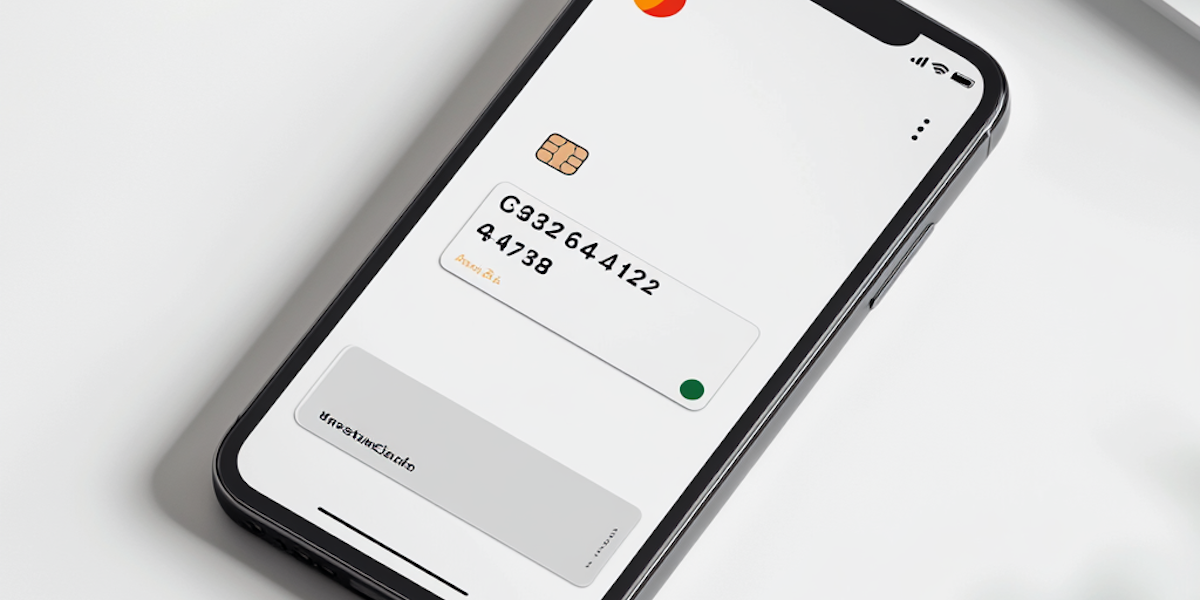
A business card online lets you share your contact details instantly. It is fast, modern, and leaves a strong impression without the hassle of paper.
But here is the thing most people miss. These digital cards are great for networking. However, they often stop there. They do not help you collect payments in a reliable way. You still have to chase clients for money or deal with slow, outdated payment methods.
This article bridges that gap. We will look at how you can connect your digital networking with a solid payment setup.
Think of combining your professional card with a secure system like Bank of Ireland Business Online Banking to get paid faster and with less stress.
Digital business cards are quickly becoming the new normal. In fact, more professionals are adopting them every year as they look for smarter ways to connect. Let us make sure your setup works for both your reputation and your income.
Why Online Business Cards Are Non-Negotiable for Appointment Setters
Let us talk about what happens when you first connect with a prospect. Maybe it is on LinkedIn, over email, or at a virtual event. In 2026, you have just seconds to show them you are the real deal. Sending someone a plain email signature with your phone number does not cut it anymore. A polished business card online does the heavy lifting for you.
Here is why this matters now more than ever. The global market for digital cards is growing fast. Experts predict it will keep growing at a strong rate through the next several years. In fact, about 37% of businesses already use digital cards for their teams. Adoption is highest in fast paced industries like tech and real estate. If you want to compete for top appointment setter roles, you need the same tools that top performers use.
Think about the difference. A paper card gets lost or thrown away. A digital card lives on a prospect’s phone. But the real magic is what your online card business can do. You are not just sharing a name and email. You are giving someone a reason to take action right away.
Modern cards let you add clickable buttons. You can include a direct link to book a call with you. You can share a quick video introduction or a portfolio of your best work. This turns a simple introduction into an active lead generation tool. It makes it easy for the prospect to say yes to the next step.
And here is a hidden advantage that most people miss. Analytics. With a paper card, you have no idea what happened after you handed it over. With a digital card, you can see exactly who looked at it and when. You can see which links they clicked on. This tells you who is truly interested. You can focus your follow up energy on the leads that matter most instead of guessing.
Setting up your online card business is the first smart move for any appointment setter looking to level up in 2026. It builds your credibility, gets you more booked calls, and helps you work smarter. In the next section, we will look at how to connect this professional image with a payment system so you never have to chase down money again.
Key Features of an Effective Digital Business Card
Knowing you need a digital card is one thing. Building one that actually works for you is another. In 2026, about 37% of businesses already use digital cards for their teams, and adoption is growing fast in the appointment setting space. The best cards for appointment setters focus on three specific areas.
Clean and Professional Design
Your card is your first impression. A cluttered design tells a prospect you are disorganized. Keep the layout simple. Use a professional headshot where you look ready for business. Match the colors and logo you use on your resume and LinkedIn profile. This consistency builds instant trust. If it looks messy, the prospect will click away instead of booking a meeting.
Clear and Complete Information
Do not make anyone hunt for your details. Your online card business should show exactly what a prospect needs to know:
- Your full name.
- A clear job title like "Senior Appointment Setter" or "Sales Development Representative."
- Your phone number and email address.
- Direct links to your LinkedIn profile and a portfolio if you have one.
Keep it simple. Too many options can confuse someone who is just trying to learn if you are the right fit.
Action Buttons That Drive the Next Step
This is where a digital card beats a paper card completely. A paper card just sits in a wallet. A smart business card online gives a prospect a direct path forward. You need action buttons that integrate directly with your workflow.
- Book an Appointment: This button sends leads straight to your calendar. They see your available times and pick one without emailing back and forth. This removes friction from the sales process.
- Send Payment Request: If you work as a 1099 independent contractor appointment setter, this is a hidden gem. You can send a payment request for commission or fees directly from your card. It makes getting paid easy and professional.
When you focus on these three areas, your card stops being a simple contact tool. It becomes a lead generation machine that works for you around the clock. The global digital business card market is expanding fast, and the appointment setters who adopt these advanced features now are the ones who will stay ahead of the competition in 2026.
Design and Information Essentials
Now that you know the key features, let us talk about the details that make your card stand out. A well-designed online card business asset needs the right look and structure to be useful.
Choose a photo and color scheme that match your brand. Use a professional headshot where you look friendly and ready to work. Keep your colors simple. Pick one or two colors from your resume or LinkedIn profile. This consistency helps people remember you.
Structure your contact info for fast scanning. Recruiters and clients do not want to hunt. Use bold labels or small icons for your name, title, phone, and email. Keep the list short. About 37% of businesses now use digital cards, and the best ones make information instantly clear.
Add a QR code optimized for mobile sharing. At networking events, a QR code lets someone open your card with one scan. This removes friction and makes sharing easy. With the digital business card market growing at about 11 to 12 percent each year, a QR code is a small feature that delivers big results.
These small design choices help you build trust and get more meetings.
Integration with CRM and Scheduling Tools
A well-designed card looks great, but the real power of an online card business tool is what happens after someone scans it. You want that new connection to move into your workflow without any extra typing.
Think about the last time you met someone at a conference or a virtual meetup. You probably had to manually type their info into your phone or a spreadsheet later. That is wasted time. The best digital cards do the work for you.
Automatically save contacts to your CRM. When someone scans your card, their details can instantly go into tools like HubSpot or Salesforce.

No manual entry. No lost leads. This keeps your sales pipeline clean and helps you follow up faster. For freelancers and small business owners who also need to manage finances smoothly, pairing your card with a smart business account can make your whole workflow more efficient. Services like Wise Business are built for handling international payments and invoicing, which is a real bonus when you land clients from different countries.
Sync with scheduling tools. If you use Calendly or Acuity, you can let people book a meeting directly from your business card online. They scan, see your availability, and pick a time. That removes the back-and-forth emails and gets you on a call sooner.
Use Zapier to connect everything. Zapier acts like a bridge. When someone scans your card, Zapier can trigger a follow-up email sequence, add them to a newsletter list, or create a new task in your project manager. It turns a simple scan into a full onboarding process.
Building this system means your card does not just share info. It starts a relationship. And that is the whole point of having a strong bank of ireland business online presence or any digital networking strategy. The less you have to think about the mechanics, the more you can focus on growing your career.
For appointment setters and sales support pros, this is a game changer. You can learn more about building efficient workflows and landing great remote roles at Setters Talent. They offer guides and training to help you succeed in sales support careers.
Choosing the Right Banking Solution for Freelance Appointment Setters
You have your digital business card set up. You have your CRM and scheduling tools synced. There is one more piece of the puzzle that keeps everything running smoothly. Your bank account.
If you mix your business income with personal spending, things get messy fast. That is not just about taxes. It looks unprofessional when you send an invoice from your personal account. A separate business account makes you look legit and saves you headaches during tax season.
Here is the good news in 2026. You do not need a big bank with high fees. Digital-only banks are built for freelancers. They have low fees, easy sign-ups, and tools that actually help you run your business. According to Found’s 2026 guide, the best accounts for small businesses now include features like built-in invoicing and automatic expense tracking.
So what should you look for when picking an online card business bank account? Focus on these three things:
-
Instant transfers. You land a client. You send the invoice. You want the money fast. Banks like Wise Business are great for this, especially if you work with international clients. Wise is known as the best choice for international payments in 2026.
-
Invoicing built right in. Some banks, like Bluevine, include invoicing tools in your account. No extra app needed. NerdWallet’s list names Bluevine as a top pick for self-employed pros this year.
-
No monthly fees. You should not pay to keep your own money. Look for accounts that have zero monthly maintenance fees. Relay and Mercury both offer that. Relay’s 2026 guide highlights how they help with organizing multiple accounts without extra charges.
Setting up a business account is a small step that makes a huge difference. It separates your money, simplifies your taxes, and makes you look professional when you send invoices or get paid through your business card online. That is one more thing you can check off your list so you can focus on what matters most: growing your career as an appointment setter.
Business Checking vs. Digital-Only Banks
Once you decide to separate your money, you have a big choice to make. Should you open a traditional business checking account at a physical bank? Or go with a digital-only bank that lives on your phone? Both have pros and cons, and the right pick depends on how you work.
Traditional banks give you a local branch. You can walk in, talk to a teller, and deposit cash. But they often charge monthly fees and require high minimum balances. If you are a freelancer just starting out, those fees can eat into your earnings fast.
Digital-only banks flip the script. They offer free accounts with no minimum balance,

instant transfers, and apps that do the heavy lifting. Many of them connect directly to payment processors like Stripe and PayPal. That matters because when you send an invoice through your online card business setup, you want the money to land in your account quickly. Platforms like Stripe charge about 2.9% plus 30 cents per transaction, and some digital banks offer instant payouts for a small fee.
Then there are hybrid options like Lili and BlueVine. These combine business checking and savings in one app. You get the low fees of a digital bank plus features like envelope budgeting or interest on deposits. For an appointment setter who wants simplicity, these are a solid middle ground.
No matter which you choose, make sure it supports the tools you already use. A business card online that works with your CRM and invoicing software will save you time and keep you organized.
Payment Gateways and Instant Transfers
Once you pick the right bank account, the next piece is how you actually get paid. Payment gateways are the bridge between your invoice and your bank. The big three are Stripe, PayPal, and Square. They all let you accept credit cards online, but they handle the money differently.
Here is a quick look at the standard fees in 2026. For online card payments, Stripe charges 2.9% plus 30 cents per transaction. PayPal charges about the same rate for most transactions. Square also falls in that range.
The real difference shows up when you want your money fast. Standard payouts usually land in your bank account in one to two business days. But if you need cash sooner, instant transfer options exist. Stripe charges 1% for instant payouts in most countries. PayPal charges 1.5% for instant access to your funds.
For an appointment setter, this speed matters. You send an invoice through your online card business setup. The client pays. With a standard transfer, you wait. With instant transfer, the money hits your account within seconds. That can be the difference between paying a bill on time or scrambling.
Many good digital banks now offer native invoice to payment flows. This means you can embed a payment link directly into your digital business card online. The client clicks, pays, and you get notified instantly. No back and forth.
If you want a full breakdown of which processor fits your workflow best, the Stripe vs Square vs PayPal: 2026 Payment Guide is a great place to start.
Integrating Your Online Business Card with Banking for Faster Payments
Choosing the right payment gateway is step one. But the real magic happens when you connect that gateway directly to your digital business card online. Think of your digital card as more than just a contact tool. In 2026, it can be a checkout counter.
Here is how to make your online card business setup work harder for you.
Add a Pay Now button. Most digital card platforms let you embed a payment link directly on your profile. When a client books a call or asks for your info, they see a button that says "Pay Now" or "Invoice Me." They click it, pay, and you get notified. No emailing invoices back and forth. This reduces friction and gets money into your account faster.
Link your card to a payment platform. Your digital card should connect to Stripe, PayPal, or Square. When a client pays through your card, the money flows straight into your bank. If you use a platform like Wise, you can also set up multi-currency accounts. This is especially helpful if you work with international clients. According to a 2026 guide on B2B payment security, using secure digital payment methods helps reduce fraud risk and protects cash flow.
Automate invoice generation. The best part? You can set your digital card to generate an invoice automatically the moment someone books a call or scans your card. The invoice is sent to their email. They pay with one click. You don’t have to touch anything. Platforms that follow online payment security best practices use encryption to protect every transaction.
For an appointment setter, this speed is a game changer. You close a lead, send your digital card, and get paid within seconds instead of days. No more chasing payments. No more awkward follow ups.
If you want to see which digital card platform offers the best payment integrations, check out the resources on Setters Talent. We break down the tools that help you earn more and manage less.
Common Mistakes and Security Considerations
Getting paid faster through your business card online is exciting. But if you rush, you can make costly mistakes. Here are the most common ones and how to avoid them.
Using a Personal Bank Account for Business Income
This is a big one. When you use your personal account for payments from clients, it gets messy come tax time. Your income and expenses blend together, making it harder to track deductions. Plus, it looks unprofessional when a client sees a personal name on a payment request. Set up a separate business card online linked to a business account or a platform like a banking of ireland business online service. It keeps things clean.
Sharing Payment Links Without Verifying Clients
It feels good when a lead asks to pay fast. But scammers know that too. If you share a payment link with someone you haven’t verified, you risk chargebacks, fraud, or even phishing attacks. According to a 2026 guide on payment link security, always confirm the client identity before sending a link. A quick phone call or video chat can save you a headache.
Ignoring Encryption and Two-Factor Authentication
Your online card business tools are only as safe as the security settings you enable. Many people skip turning on two-factor authentication (2FA) on their banking and card apps. This leaves your account open to hackers. The same goes for encryption. Always check that your payment platform uses strong encryption to protect data. As explained in a 2026 article on online payment security, using basic precautions like 2FA and secure passwords drastically reduces fraud risk.
What to Do Instead
- Use a separate business account for all payments.
- Verify every client before sending a payment link.
- Enable two-factor authentication everywhere.
- Stick to platforms that use encryption and follow best practices from B2B payment security guides.
By avoiding these mistakes, you build trust with clients and protect your cash flow. Your business card online should be a tool that makes life easier, not riskier.
The Future of Professional Identity and Payments in 2026
The way you present yourself online and get paid is changing fast. In 2026, your business card online won’t just be a digital PDF. It will be a smart tool that handles your identity and payments in real time.
Here’s what to expect.
Decentralized Identity and Blockchain Business Cards
Imagine a business card that cannot be faked. That is the promise of decentralized identity (DID) and blockchain-based cards. These cards let you prove who you are without showing extra personal data. According to top identity verification trends for 2026, decentralized identity is reshaping how we build trust online. Your online card business profile could soon live on a secure blockchain, making it easy for clients to verify you instantly.
Real Time Payment Networks Become Standard
Networks like FedNow and RTP are making instant transfers the new normal. Instead of waiting days for a payment to clear, you will get funds in seconds. This is a game changer for freelancers and appointment setters who need fast cash flow. Whether you link your card to a banking of ireland business online account or another platform, real time payments will become an expected feature.
AI Powered Cards That Adapt
Your business card online will get smarter. AI powered cards can automatically update your contact details, payment preferences, and even pricing based on who is viewing them. If a client interacts with your card, the AI might adjust the next payment link or suggest a follow up meeting. As digital identity evolves, these adaptive cards will help you close deals faster.
Stay ahead of these trends to keep your online card business secure and modern. The future is about speed, trust, and smart technology.
Summary
This article explains how appointment setters can use an online business card to look professional, capture leads, and get paid faster by linking that card to modern banking and payment tools. It covers the must-have design and information elements, action buttons like book-a-call and pay-now, and how to automate contact capture into CRMs and scheduling apps. You’ll learn which banking features matter for freelancers—instant transfers, built-in invoicing, and no monthly fees—and how to choose between traditional and digital-only banks. The piece compares payment gateways (Stripe, PayPal, Square), explains instant payout trade-offs, and shows how to embed payment flows directly on your digital card. It also outlines common security mistakes (mixing personal accounts, poor verification, skipping 2FA) and practical fixes. Finally, the article looks ahead to trends like decentralized identity, real-time payments, and AI-powered adaptive cards so you can keep your setup future-ready.