
CT SOS Business Search: Find & Verify Connecticut Company Records
· 28 min read

Why CT SOS Business Search Matters
Have you ever wondered if a business is real, or if the company you’re thinking of working for is actually active? In today’s world, it’s super important to check facts before you make big decisions. That’s where the CT SOS business search comes in handy. The Connecticut Secretary of the State (SOTS) keeps official records for all businesses that are registered in Connecticut. This means they have important details about companies operating in the state. Think of it like a giant public library for business information.

Using this tool, you can easily look up if a company truly exists. You can find out its current status, who its main contact person is, and even a bit about its history. This information is key, whether you’re an appointment setter trying to reach out to a new client, a job seeker checking out a potential employer, or even someone looking for a business for sale and wanting to verify its legal standing. It helps you make smart choices and avoid wasting your time on companies that might not be legitimate or active anymore. For instance, just like you might use an ohio business search or georgia business search in other states, the ny sos business search provides similar tools for New York.
This guide will walk you through everything you need to know about the ct sos business search. We’ll show you clear, step-by-step instructions on how to use the search tool from the official Connecticut Secretary of the State website. We’ll also give you tips on how to understand the information you find. By the end, you’ll know exactly how to check a company’s details, helping you feel more confident in your outreach, job hunt, or business plans. We’ve even included easy-to-use checklists and templates in the full guide to make things even simpler for you.
When you use the CT SOS business search, you’re tapping into a treasure chest of important information.

This tool helps you learn all about businesses that are officially registered in Connecticut. It’s like having a special map that shows you key details for many different kinds of companies. The main goal is to give you clear facts so you can make smart decisions, whether you’re an appointment setter looking for good leads or someone checking out a business for sale.
Here are the main types of records and information you can find using the CT SOS business search:
Business Entity Records
These are the most common types of records you’ll look for. When a business officially registers with the Connecticut Secretary of the State, it creates an "entity record" [^1]. This record is full of useful facts. You can find things like:
- Current Status: Is the business active and in good standing, or has it been dissolved or forfeited? An "Active" status means the company is allowed to do business in Connecticut [^9]. If it’s "Forfeited," it might mean the business didn’t file its yearly reports and needs to fix things to become active again [^10].
- Contact Information: This often includes the main address of the business.
- Filing History: You can see a timeline of important actions the business has taken, like when it was first set up.
- Processing Agent: This is sometimes called a "Registered Agent." It’s a person or company chosen to get official mail and legal papers for the business. Knowing who this agent is can be very helpful for official communication [^2].
This information is like a business’s report card. It tells you if they are doing everything by the book in 2026.
Trade Names and DBAs
Sometimes a business operates under a different name than its official legal name. This is called a "trade name" or "Doing Business As" (DBA) name. For example, "Bob’s Plumbing LLC" might do business as "Speedy Plumbers." The CT SOS business search can help you find these different names that a company might be using. This is good to know for marketing or when you’re trying to reach a specific company that uses a simpler name for its customers.
Common Business Types and Why They Matter
Businesses come in different shapes and sizes, and they register differently with the state.
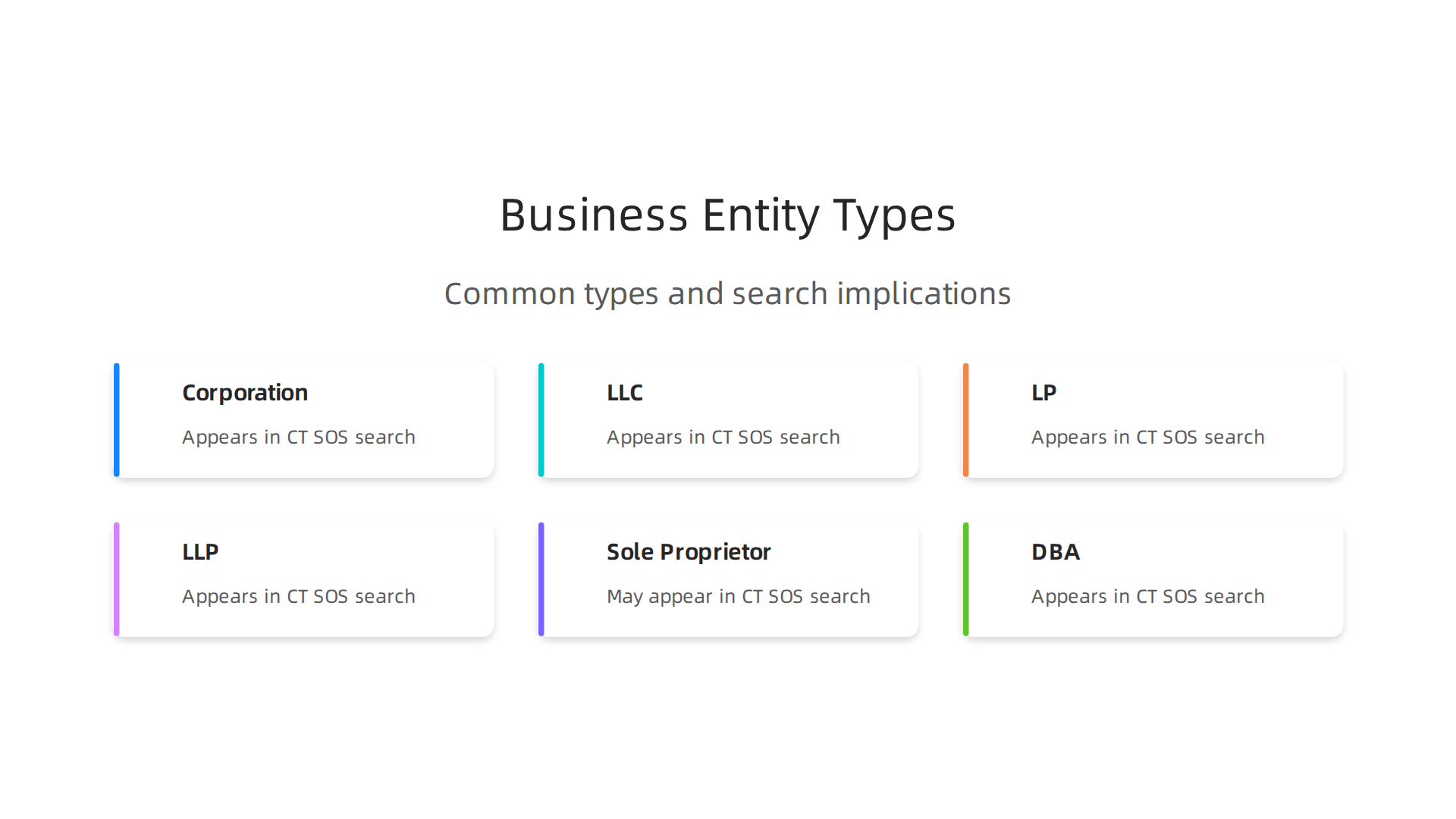
The CT SOS business search lets you see what type of legal entity a business is. Here are some common types:
- Corporation (Inc.): This is a formal business structure where the company is seen as a separate "person" from its owners. It can be a "C-Corp" or "S-Corp."
- Limited Liability Company (LLC): This is a popular type that offers owners some protection from business debts, similar to a corporation, but often has simpler rules. Many small businesses and startups choose to be an LLC.
- Limited Partnership (LP) / Limited Liability Partnership (LLP): These are often used by professional groups like law firms or accounting firms. They have different levels of responsibility for their partners.
- Sole Proprietor / DBA: A sole proprietorship is a business owned by one person. Often, these businesses register a DBA if they want to use a name different from the owner’s personal name. These might have less information publicly available compared to corporations or LLCs, as they aren’t always registered as a separate "entity" in the same way.
Knowing the business type is important. For an appointment setter, it tells you a bit about the company’s size or how it’s run. For someone looking at a business for sale, it can affect legal and financial parts of the deal. For example, an LLC usually has clearer ownership details than a less formal business.
Public Records and Access
Good news: most of the records you find using the CT SOS business search are public! This means anyone can look them up. The Connecticut Secretary of the State acts as a main keeper of these public records [^1]. You can search by business name, a special business ID number (ALEI), or a filing number [^3]. This easy access helps keep things fair and open for everyone doing business in Connecticut. You don’t need special permission or a fee to check these basic details.
So, when you conduct a ct sos business search, you’re getting official, public data that can help you verify a company’s existence, understand its legal setup, and check its standing. This is a powerful tool, much like using an ohio business search or ny sos business search in other states, to ensure you’re dealing with legitimate and active companies.
If you’re ready to improve your lead qualification and reach out to the right businesses, understanding these records is a great first step.
Learning how to use the CT SOS business search is simple, whether you are on a computer or your phone.

This tool helps you find important details about companies in Connecticut. Think of it as your guide to checking out any business for sale or finding new contacts for your work.
Here is a step-by-step guide to doing a ct sos business search:
Starting Your Search
First, you need to go to the official Connecticut Secretary of the State website for business searches.

You can do this on any device, like your computer, tablet, or smartphone. The site is made to work well on all of them, so you won’t have trouble seeing what you need.
Once you are there, you will see a search box. You can look for businesses in a few different ways:
- Business Name: This is the most common way. You type in the name of the company you want to find.
- Business ALEI (Assigned Legal Entity Identifier): This is a special number given to each business. If you know it, it’s a very exact way to search.
- Filing Number: This is another unique number for official documents the business has filed with the state.
The Connecticut Secretary of the State website lets you use any of these options to find what you need quickly and easily [^3].
Entering Your Search Details
Let’s say you want to search by name.
- Type the Name: Just type the business name into the search box.
- Exact Name or Keyword Search: You will usually see a checkbox that says "Search on exact name" [^5].
- If you check this box, the search will only show businesses that match the name exactly. This is good if you know the full, correct name and want very specific results. For example, "Main Street Cafe LLC."
- If you don’t check the box, the search will look for words similar to what you typed. This is helpful if you are not sure of the exact name or want to see all businesses that include certain words, like "cafe" or "plumbing."
Sometimes, using fewer words gives you better results, especially if you’re not sure about the full business name. This is similar to how you might do an ohio business search or a georgia business search, where knowing how to narrow down your terms is key. For example, if you’re looking for "Connecticut Family Dental Practice," trying "Family Dental" first might bring up more options than typing the whole long name.
Viewing Your Search Results
After you click the "Search" button, the website will show you a list of businesses that match what you typed. For each business on the list, you’ll usually see its name, the type of business it is (like LLC or Corporation), and its current status (like "Active" or "Forfeited").
To get more details about a specific business, you just click on its name in the search results. This will take you to that business’s "entity detail page" [^2]. On this page, you can find a lot of useful facts like:
- The business’s full official address.
- Who their Registered Agent is (the person or company that gets official mail for them).
- A history of when they filed important papers.
- Their current status, which tells you if they are officially allowed to do business in Connecticut right now.
This detailed information is great for many reasons. If you’re an appointment setter, checking the business’s status can help you make sure you’re contacting a legitimate and active company. This helps you qualify your leads and focus your efforts effectively. Knowing who the Registered Agent is can also be important for official communication.
Saving and Using Your Leads
The CT SOS business search tool doesn’t always let you save a big list of search results directly. However, you can often print or save individual business detail pages as PDFs. Some parts of the official CT.gov business site even let you download certain results [^3].
For appointment setters, this means you might need to copy and paste key information into your own spreadsheet or customer relationship management (CRM) system. By collecting these details, you can build a strong list of potential clients or partners. This kind of careful research using the ct sos business search helps make your outreach much more targeted and successful. It ensures you’re reaching out to active, relevant businesses, which is a big part of effective B2B appointment setting in 2026.
After you do a ct sos business search and click on a business name, you land on its special page. This page is packed with facts. Learning what these facts mean is super helpful. It helps you know if a business is active, reliable, or perhaps a good business for sale opportunity.
Let’s look at the important things you’ll find on a business’s detail page.
Understanding the Key Details
When you look at a business’s detailed page, you will see a few main pieces of information:
- Principal Address: This is usually the main mailing address for the business. It tells you where their office or main operations are located.
- Registered Agent: Every business needs a registered agent. This person or company is in charge of getting all the official letters and legal papers for the business. Knowing who this is can be important for official communication.
- Jurisdiction: This just means where the business is officially set up. For a
ct sos business search, this will almost always be Connecticut. - Formation Date: This tells you exactly when the business first started and became legal in Connecticut. It’s like the business’s birthday.
- Last Filing Date/Annual Report Date: Businesses need to send in reports to the state regularly, usually once a year. This date tells you the last time they sent one in. If this date is very old, it might mean the business isn’t keeping up with its state duties.
What Do Business Statuses Mean?
One of the most important things you’ll see is the business’s "status." This tells you if the business is currently allowed to operate in Connecticut.

Here are some common statuses and what they mean:
- Active: This is the best status. An "Active" business is in good standing and has permission to do business in Connecticut [^1]. If you’re looking for a new job or a company to work with, "Active" is what you want to see.
- Forfeited/Administrative Dissolution: This status means the business has lost its right to do business. Often, this happens if they didn’t file their yearly reports with the state for a long time [^2, ^8]. A business that is "Forfeited" can usually become "Active" again if it fixes what’s wrong, like filing all its missing reports and paying fees [^9].
- Dissolved: When a business is "Dissolved," it means it has officially stopped existing in Connecticut [^4]. The owners usually decided to close it down for good. You can’t usually work with or buy a dissolved business.
- Withdrawn: This status is mostly for businesses that started in another state but were also doing business in Connecticut. "Withdrawn" means they have formally stopped doing business in Connecticut, but they might still be active in their home state [^5, ^7]. Think of it like a company moving out of town but still existing somewhere else.
- Revoked: This is similar to "Forfeited." It means the state has taken away the business’s right to operate, often because of not following rules, like failing to file annual reports [^3].
Knowing these statuses is key. If you’re researching a potential employer, you want them to be "Active." If you’re thinking about a business for sale, you need to know its exact status before moving forward. Just like when you do an ohio business search or a georgia business search, the status field is a quick check of health.
Why Dates Matter
The dates you see on the business’s page also tell a story:
- Formation Date: A very old formation date could mean a long-standing business, which might seem stable. A newer date could mean a fresh company just starting out.
- Last Filing Date/Annual Report Date: This date is like a health check. If a business hasn’t filed an annual report in many years, it’s a big warning sign. It shows they might not be following state rules, which often leads to a "Forfeited" or "Revoked" status.
By looking closely at these statuses and dates during your ct sos business search, you get a much clearer picture of any business. This helps you make smart choices, whether you are looking for jobs, checking out competitors, or finding new business partners.
Advanced Searches: Trade Names, UCCs, Registered Agents, and Cross-Checks
After looking at the basic details and health of a business, you might want to dig a little deeper. A ct sos business search can help you find even more helpful facts. This is good if you’re thinking about a business for sale or just want to know everything about a company.
Searching for Trade Names (DBAs)
Sometimes, a business might have one official name but use another name to sell its products or services. This other name is called a "trade name" or "DBA," which stands for "Doing Business As." Think of it like a person named Robert who goes by "Bob."
- Why businesses use them: They might want to reach different types of customers or offer different services under a simpler or catchier name.
- How to find them: During your
ct sos business search, you can often look for these trade names too. It helps you see all the ways a company might show up to the public. If you only search for the official name, you might miss some of their operations.
Knowing a business’s trade names gives you a fuller picture of what they do.
What Are UCC Filings and Why Check Them?
UCC stands for Uniform Commercial Code. This is a fancy way of talking about official papers that show when a business has used its property as a promise for a loan. Imagine a company takes out a loan to buy new equipment. They might promise that equipment to the lender as security. That promise is recorded in a UCC filing.
- What UCC records show: These records tell you who owes money (the debtor business), who lent the money (the secured party), and what property is being used as a promise [cite https://catalog.data.gov/dataset/uniform-commercial-code-ucc-lien-filings-rev3-2020].
- Why they matter: For a
ct sos business search, checking UCC filings is super important if you are thinking about buying abusiness for sale. You want to know if the business already has a lot of debt tied to its things. If a business has many UCC filings, it could mean it has borrowed a lot of money. You can search for these lien records through the Connecticut Secretary of State’s office [cite https://service.ct.gov/business/s/onlineenquiry?language=en_US, https://www.secstates.com/CT_UCC_Connecticut_Universal_Commercial_Code_Search].
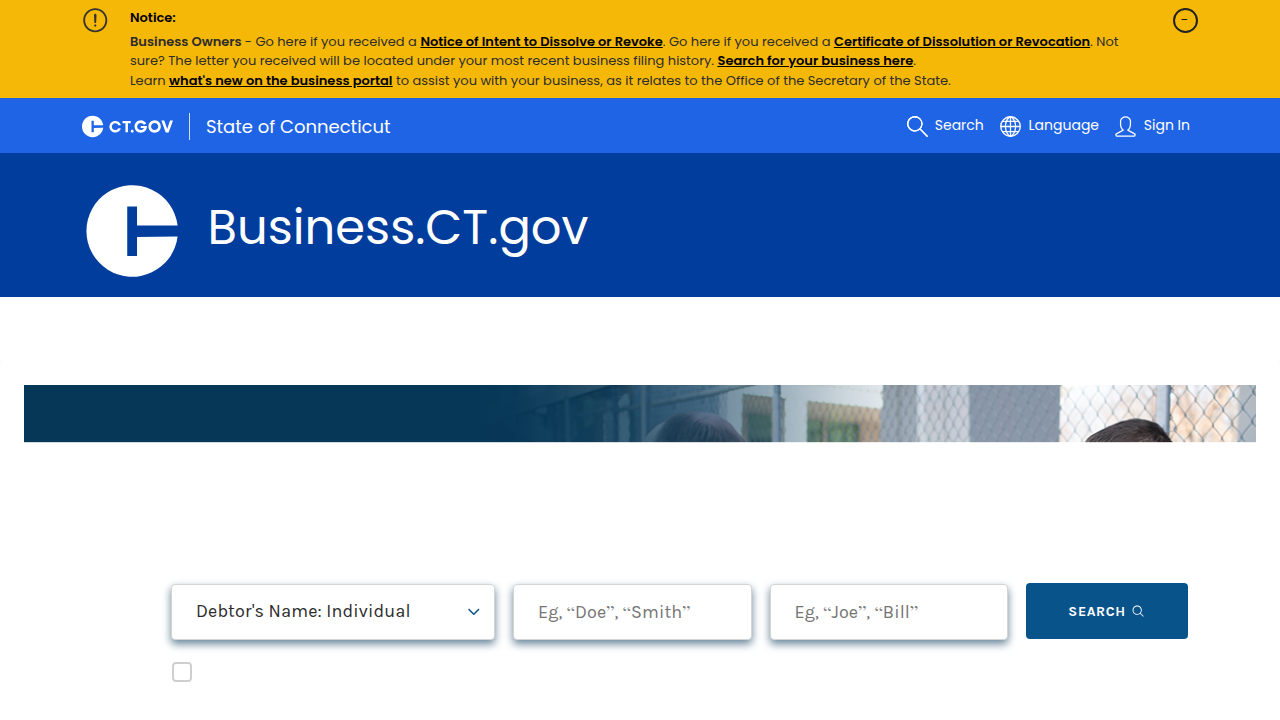
Many states, like Connecticut, keep records of these filings to make sure everything is clear and public [cite https://data.ct.gov/Business/Uniform-Commercial-Code-UCC-Lien-Filings/xfev-8smz].
Understanding these records can help you see how stable a business is financially.
Checking Registered Agents and Cross-Checking Addresses
You already know that every business needs a registered agent to receive important mail. The registered agent’s name and address are public information.
- Verifying information: You can use this information to double-check things. For example, does the registered agent’s address make sense? Is it a real office building or just a mailbox service?
- Cross-checking with other records: Sometimes, you can take the business’s main address or the registered agent’s address and search for it in other public databases. This might include property records or even other business listings. It’s like doing a quick
ohio business searchorgeorgia business searchto compare how businesses operate in different places. This helps ensure all the public details match up, adding another layer of trust to yourct sos business search. If the addresses are different across various official records, it might be a small red flag worth looking into.
By taking these extra steps, you get a much more complete and accurate view of any business in Connecticut.

This careful checking helps you make smart decisions, whether you’re finding new partners, checking on competitors, or looking for your next career move.
Verifying Legitimacy and Spotting Red Flags in CT Records
After you’ve done your ct sos business search and gathered all the basic facts, it’s smart to take one more step. You want to make sure the business is real and honest. This is like checking for "red flags," which are simply warning signs that something might be wrong. This is super important if you’re looking at a business for sale or trying to find a good job.
What Are Red Flags?
Red flags are clues that tell you to look closer. They don’t always mean a business is bad, but they mean you should ask more questions. Think of it like a puzzle piece that doesn’t quite fit. The Ohio Auditor of State and other sources share common red flags to look out for in business activities and records [cite https://ohioauditor.gov/fraud/redflags.html].
Here’s a simple list of red flags you might see when checking public records for a Connecticut business:
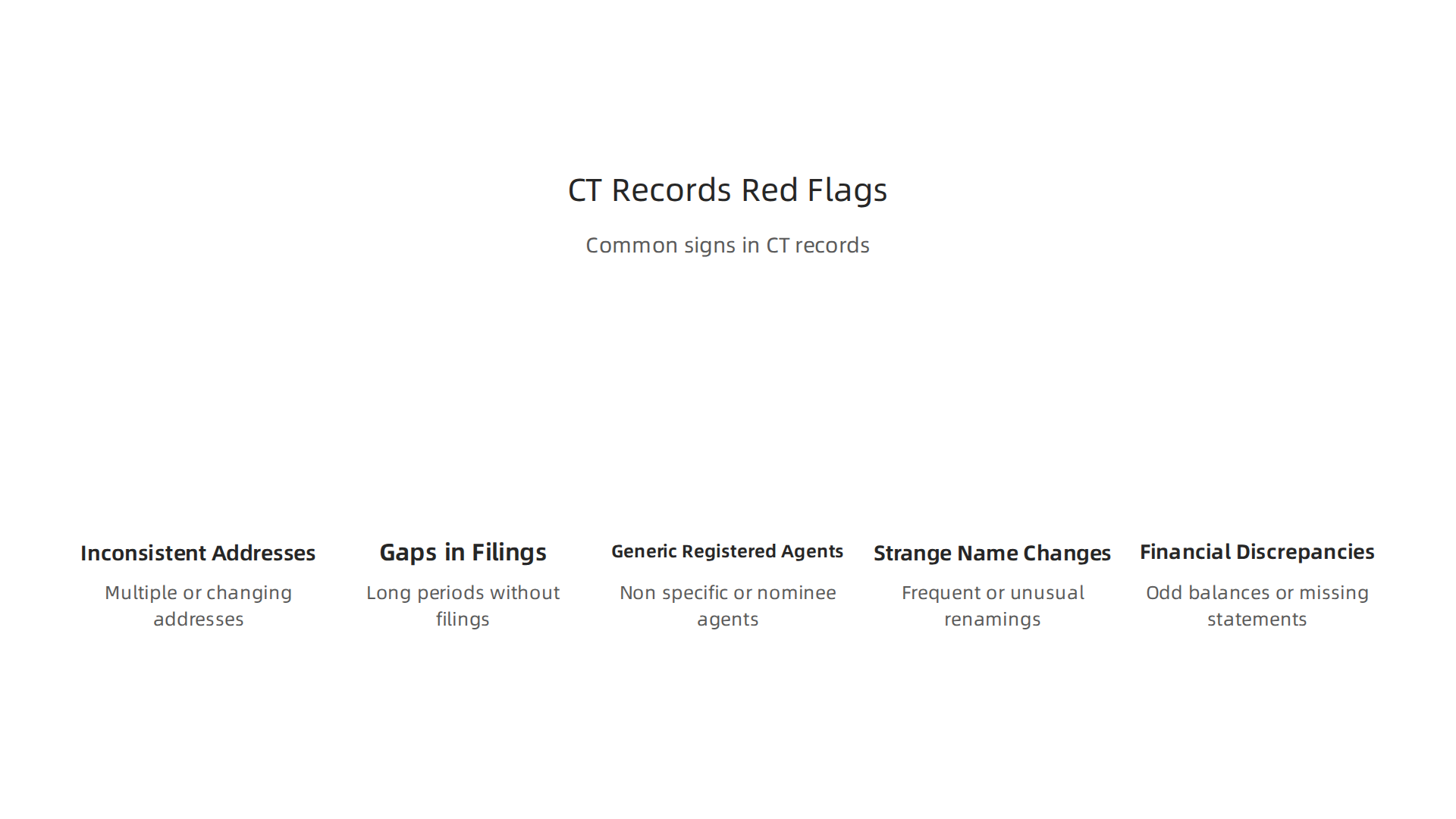
- Addresses that don’t match: You found the registered agent’s address, right? Now, does that address match the main business address listed elsewhere, or even the address on their website? If addresses are all over the place, it could be confusing or a sign to check deeper. Inconsistent details can be a warning sign [cite https://michaelschmitt.co.uk/common-red-flags-in-company-registers/].
- Long gaps in filings: Most businesses need to file papers regularly with the state. If you see very long times between official filings, or if some required papers are missing, it might mean the business isn’t active or isn’t keeping up with the rules. Official records should be clear and up-to-date [cite https://www.associatedbank.com/education/articles/business-insights/risk-and-insurance/business-fraud-warning-signs].
- Generic registered agent services: Some businesses use a service that acts as their registered agent. While many are fine, if the address is just a PO box or a shared mail service that lots of businesses use, and there’s no real office, it could be a sign to investigate further. Scammers sometimes use these general services to hide their true location [cite https://www.pa.gov/agencies/dos/alerts-and-notices/business-and-charities-scams].
- Strange names or changes: Watch out for very similar names to famous businesses or names that change often. Also, unauthorized changes to state business filings can be a big warning sign [cite https://www.idtheftcenter.org/post/synthetic-business-fraud/].
- Financial details that don’t add up: Sometimes, official papers might show things that don’t make sense, like services paid for that don’t seem to have a product [cite https://cuyahogacms.blob.core.windows.net/home/docs/default-source/internal-auditing/resources/redflagsbestpractice.pdf?sfvrsn=ecb233e0_3].
How to Check Beyond Your CT SOS Search
A ct sos business search is a great start, but you can also look at other places to make sure everything lines up.
- Better Business Bureau (BBB): Check if the business is listed with the BBB and what their rating is. This can show if customers have had problems.
- Industry Directories: Look for the business in specific directories for their type of work. If they say they are a plumber, check a local plumber’s association.
- Website and Social Media: Does the business have a professional website? Are their social media accounts active and does the information there match what you found in official records?
- News Searches: A quick search for the business name in the news can sometimes turn up important information, good or bad.
Comparing information from your ct sos business search with these other sources is called corroborating data. It helps you get a fuller, clearer picture. This extra checking is useful, just like how you might do an ohio business search or georgia business search to compare business practices in different states.
Quick Checks for Job Seekers and Appointment Setters
If you’re an appointment setter or looking for a job, you don’t always have time for a super deep dive. Here’s a quick way to use your ct sos business search for smart decisions:
- Basic Name Match: Does the company name on the job ad match the official name from your search?
- Registered Agent Look: Does the registered agent look legitimate? Is the address a real office?
- Address Consistency: Check the business address on their website or LinkedIn against the official filing. If it’s very different, it’s worth a second look.
- Quick Online Search: Do a fast search for "[Company Name] reviews" or "[Company Name] scams" to see if anything pops up.
By doing these quick checks, you can quickly spot obvious red flags and decide if a business is one you want to learn more about or work with. These simple steps can save you time and help you find great opportunities.
After you’ve done your ct sos business search and checked for any red flags, you might need more than just a quick look. Sometimes, you need actual copies of official business papers. This is especially true if you are looking at a business for sale or need documents for legal reasons.
What Records Can You Get and How?
When you do a ct sos business search on the Connecticut Secretary of the State (SOTS) website, you can often see lots of basic information for free. This includes things like the business’s current status, contact details, and who their registered agent is. You can often look at past filings and get "plain copies" right from your computer screen [cite https://business.ct.gov/knowledge-base/articles/sots/download-results]. These plain copies are great for your own records or for doing simple research.
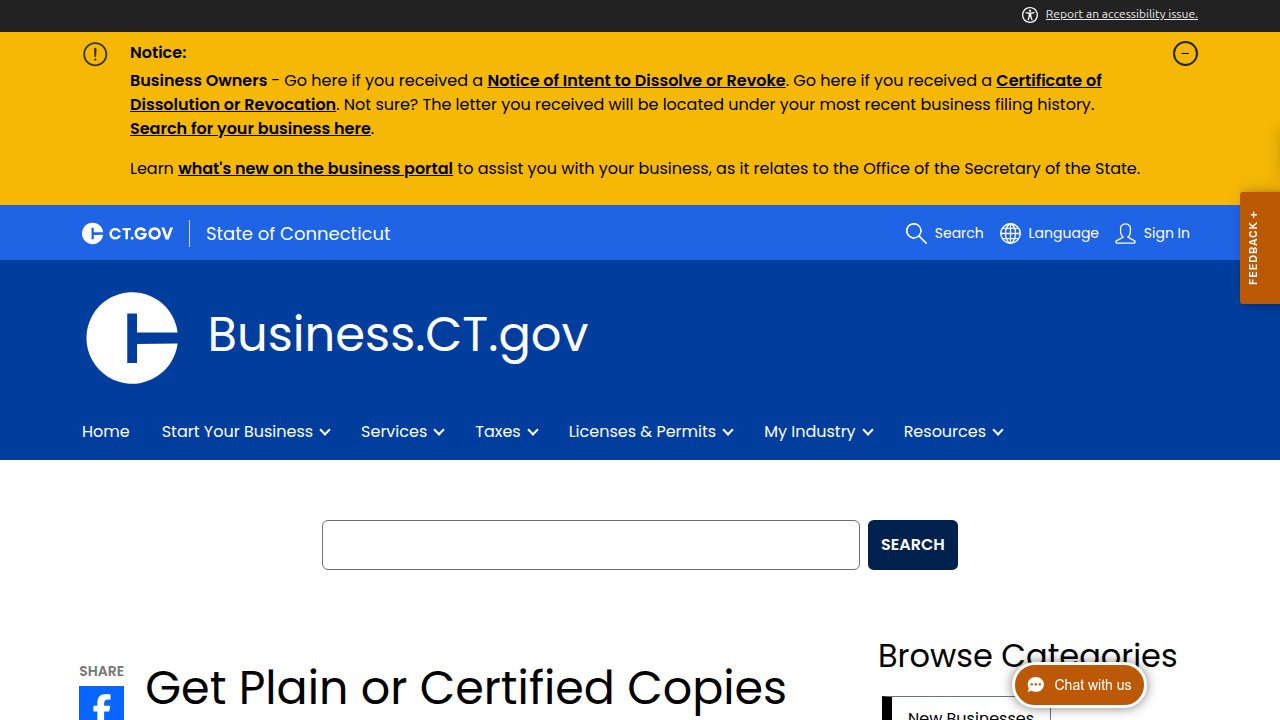
But sometimes, you need something more official. That’s where "certified copies" come in. These are special copies that have a stamp or seal from the state. That stamp means the copy is a true and correct copy of the original paper the business filed. You’d need a certified copy for things like getting a loan, selling a business, or for certain legal tasks. You can request these by logging into your Business.CT.gov account [cite https://business.ct.gov/knowledge-base/articles/get-plain-or-certified-copies-of-my-business-records].
Understanding Fees and How Long It Takes
Getting official papers, especially certified copies, usually costs money. The fees are set by law in Connecticut.
- Plain Copies: While you can often view and sometimes download basic plain records for free online, if you need a specific plain paper copy requested from the office, it might cost around $40 [cite https://business.ct.gov/knowledge-base/articles/get-plain-or-certified-copies-of-my-business-records]. However, you can also get free plain paper copies if you visit the SOTS office in person during business hours [cite https://business.ct.gov/knowledge-base/articles/sots/certified-vs-plain].
- Certified Copies: These will cost more than plain copies because of their official nature. For example, filing papers to start an LLC costs $120 in 2026, and an annual report costs $80 [cite https://www.bizreport.com/llc-cost-connecticut].
- Other Services: If you need a special search or a bulk amount of data, there might be different fees. For example, getting Uniform Commercial Code (UCC) lien filings or other records might have varying costs [cite https://data.ct.gov/Business/Uniform-Commercial-Code-UCC-Lien-Filings/xfev-8smz].
How fast you get your papers depends on how you ask for them:
- Online Requests: If you make your request online, it’s usually much faster. For things like starting an LLC, online requests often take about 2 to 3 business days [cite https://www.llcuniversity.com/how-long-does-it-take-to-get-an-llc-in-connecticut/]. If you’re updating an annual report, it might take 1 to 3 business days [cite https://www.northwestregisteredagent.com/annual-report/connecticut].
- Mail Requests: Sending your request through the mail takes longer. For an LLC, it could be 7 to 10 business days, plus the time it takes for mail to travel [cite https://www.llcuniversity.com/how-long-does-it-take-to-get-an-llc-in-connecticut/].
Sometimes, you can pay extra for "expedited service" if you need your papers super fast, often within 24 hours. This usually adds about $50 to the fee [cite https://www.llcuniversity.com/how-long-does-it-take-to-get-an-llc-in-connecticut/].
How to Pay and Avoid Delays
When you order documents online, you usually pay with a credit card. If you send a request by mail, you might need to include a check or money order. The Connecticut SOTS often sends digital copies by email for online requests. Physical copies will be mailed to you.
To make sure your request goes smoothly and quickly, always double-check all the information you provide. Make sure the business name and filing number are correct. Using the state’s official online portal for your ct sos business search and requests is often the best way to avoid delays in 2026.

This process is similar to how you might do an ohio business search or georgia business search in other states.
When you are looking to get ahead, whether finding new clients or landing a new job, knowing more about a business is always a good idea. That’s where a ct sos business search comes in handy. It helps both people who set up meetings for businesses and those looking for work to make smart choices in 2026.
How Appointment Setters Use CT SOS Searches
Appointment setters work to find good potential clients for their company. They need to talk to businesses that are real, active, and likely to be interested. A quick ct sos business search can help them check on a business before they reach out. This saves time and makes their work more effective [cite: https://www.staffdomain.com/blogs/setting-up-success-how-appointment-setters-streamline-sales-operations/].
Here’s how they do it:
- Quick Checks Before Outreach: First, they search for the business name on the Connecticut Secretary of the State website. They look to see if the business is "active" and "in good standing." If a business is listed as "forfeited" or "dissolved," it’s probably not a good lead. Reaching out to a business that isn’t officially operating is a waste of time.
- Prioritize Prospects: Appointment setters check when the business last filed important papers. If a business has recent filings, it could mean they are growing, changing, or actively managing their company. This might make them a better target for new services. Businesses with very old or missing filings could be a sign of trouble [cite: https://michaelschmitt.co.uk/common-red-flags-in-company-registers/].
- Identify Key Contacts: The search can also show who the "registered agent" is. This is the official person or company that gets legal mail for the business. While not always the direct person to sell to, it confirms the business’s official presence. Looking at these details helps qualify leads, which is a key part of successful appointment setting [cite: https://www.leadium.com/blog/best-practices-for-qualifying-sales-appointments-in-b2b/].
Keeping track of this information helps appointment setters build better lead lists.
How Job Seekers Can Use CT SOS Records
If you’re looking for a job, you want to make sure the company you apply to is real and stable. A ct sos business search can give you peace of mind and help you learn about your potential employer. This is especially true if you are looking at a business for sale and want to understand the company better.
- Confirm Existence and Good Standing: Before you even send your resume, check if the company officially exists and is in "good standing" with the state. This helps you avoid scams or companies that aren’t legally registered [cite: https://www.pa.gov/agencies/dos/alerts-and-notices/business-and-charities-scams].
- Evaluate Business Age: The records often show when the business started. A company that has been around for many years might be more stable. A newer company could offer exciting growth chances. Both are good to know!
- Spot Red Flags: Sometimes, a business search can show problems. For example, if a company’s status is "forfeited" or they have a history of many changes to their legal documents without clear reasons, it could be a warning sign [cite: https://www.idtheftcenter.org/post/synthetic-business-fraud/]. You should always be careful about businesses with unusual financial transactions or missing records [cite: https://www.associatedbank.com/education/articles/business-insights/risk-and-insurance/business-fraud-warning-signs]. This is similar to doing an
ohio business searchorgeorgia business searchin other states.
Templates for Your Lead or Employer List
To keep all this useful information organized, you can create a simple list. This helps you compare different businesses or keep track of your outreach.
Here are some helpful fields to include:
- Business Name: The full legal name of the company.
- Filing Number (from SOTS): The unique number the state gives to the business.
- Current Status: Is it "Active," "Forfeited," or "Dissolved"?
- Date of Last Filing: When did they last submit official papers?
- Registered Agent: Who is listed as the official contact?
- Business Age: How long has the business been registered?
- Notes: Any other important details, like "Potential Growth," "Check again next quarter," or "Looks stable."
By using the ct sos business search wisely, both appointment setters and job seekers can make more informed decisions and increase their chances of success in 2026.
Summary
This article explains how to use the Connecticut Secretary of the State (CT SOS) business search to verify companies, understand their legal status, and gather official records. It covers the types of public information available—entity records, registered agents, trade names/DBAs, formation and filing dates—and explains what common statuses like Active, Forfeited, Dissolved, and Withdrawn mean. You get a clear step-by-step guide for searching by name, ALEI, or filing number, plus tips for refining searches and saving results for your CRM. The guide also explores advanced checks such as UCC lien searches and cross-checking addresses, lists common red flags to watch for, and explains how to request plain or certified copies and the usual fees and timelines. Practical use cases show how appointment setters and job seekers can use these searches to qualify leads or confirm employers. By reading this, you’ll know how to run a CT SOS search, interpret key data, spot warning signs, and collect documents you might need for outreach, hiring, or buying a business.